- Quick Navigation
- Why Trackers Work: The Psychology of Visual Progress
- Habit Trackers (12 Ideas)
- 1. Basic Grid Tracker
- 2. Circular/Wheel Tracker
- 3. Mini Monthly Tracker
- 4. Vertical Column Tracker
- Mood Trackers (8 Ideas)
- 1. Year in Pixels
- 2. Monthly Mood Mandala
- 3. Mood Plants/Garden
- 4. Simple Scale Tracker
- Health & Wellness Trackers (10 Ideas)
- Sleep Tracker
- Water Intake Tracker
- Exercise Log
- Medication Tracker
- Period Tracker
- Symptom Tracker
- Finance Trackers (5 Ideas)
- Spending Log
- No-Spend Day Tracker
- Savings Thermometer
- Bill Payment Tracker
- Debt Payoff Tracker
- How to Create Custom Trackers
- Tracker Supplies
- Frequently Asked Questions
- How many habits should I track at once?
- What if I forget to fill in my tracker?
- Should my tracker be on its own page?
- Related Resources
- Related Posts
- Related Posts
- Related Posts
- Related Reading
- Related Guides
- Related Posts
- Related Reading
- Related Posts
Trackers are one of the most powerful features of bullet journaling. They turn abstract goals into visual progress, making it easier to build habits, spot patterns, and stay motivated. In this complete guide, I'll show you 30+ tracker ideas and exactly how to create them.
Quick Navigation
Why Trackers Work: The Psychology of Visual Progress
There's real science behind why trackers are so effective:
- Visual accountability: Seeing empty boxes creates gentle pressure to fill them
- Chain effect: Once you've built a streak, you don't want to break it
- Pattern recognition: Over time, you spot connections (like mood dipping when you skip exercise)
- Progress proof: On hard days, your tracker shows you've done this before
Habit Trackers (12 Ideas)
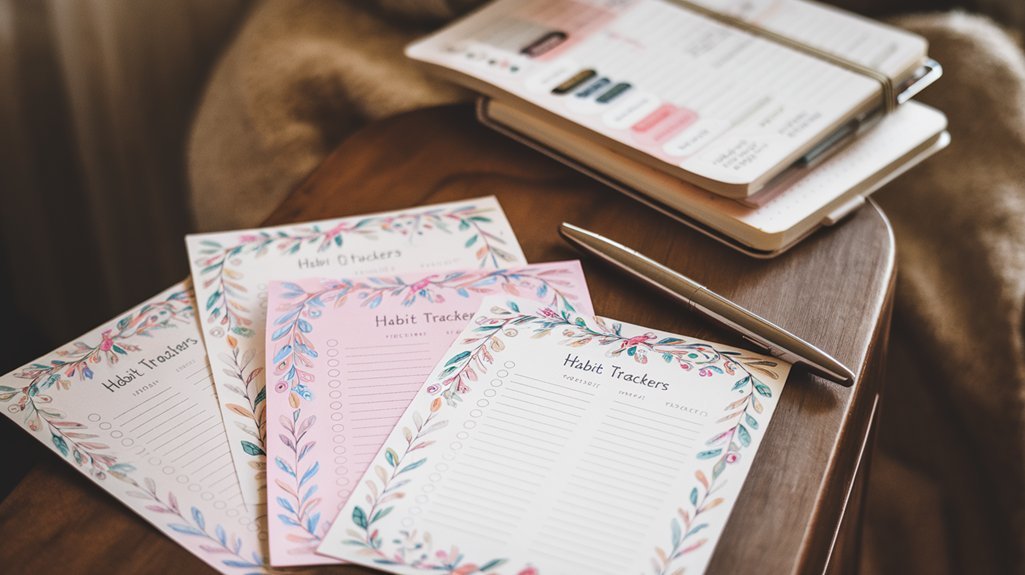
Habit trackers are the most popular type. Here are designs from simple to elaborate:
1. Basic Grid Tracker
Draw a grid with days across the top (1-31) and habits down the side. Fill in boxes when you complete the habit. Simple and effective.
2. Circular/Wheel Tracker
Draw a circle divided into segments for each day. Color in segments as you complete habits. Visually satisfying when complete.
3. Mini Monthly Tracker
Create a small 5×7 grid for each habit, with boxes for each day. Multiple habits fit on one page.
4. Vertical Column Tracker
List habits horizontally at the top, then draw vertical columns with boxes for each day going down. Great for weekly tracking.
Best habits to track as a beginner:
- Drink 8 glasses of water
- Exercise for 30 minutes
- Read for 20 minutes
- Meditate or journal
- Get 7+ hours of sleep
Mood Trackers (8 Ideas)
Mood trackers help you understand your emotional patterns over time.
1. Year in Pixels
Create a 12×31 grid representing every day of the year. Assign colors to moods (green = great, yellow = okay, red = difficult). Color one pixel per day.
2. Monthly Mood Mandala
Draw concentric circles with 30-31 sections. Color based on your mood each day, working from center outward.
3. Mood Plants/Garden
Draw a stem with leaves for each day. Color leaves based on mood. Watch your garden grow!
4. Simple Scale Tracker
Rate your mood 1-10 each day and graph it as a line chart. Simple but reveals patterns.
Health & Wellness Trackers (10 Ideas)
Sleep Tracker
Track hours slept, sleep quality (1-5), and what time you went to bed/woke up. After a month, you'll see what affects your sleep.
Water Intake Tracker
Draw 8 glasses per day. Shade them as you drink. Add totals at the end of each week.
Exercise Log
Track workout type, duration, and how you felt afterward. Include rest days—they matter too.
Medication Tracker
Never forget a dose again. Create AM/PM checkboxes for each medication, each day.
Period Tracker
Track flow, symptoms, mood changes, and energy levels throughout your cycle.
Symptom Tracker
For those managing chronic conditions: track pain levels, specific symptoms, triggers, and what helped.
Finance Trackers (5 Ideas)
Spending Log
Track every purchase with date, amount, and category. Running total keeps you aware of spending.
No-Spend Day Tracker
Mark days when you spend zero discretionary money. Try to build streaks.
Savings Thermometer
Draw a thermometer with your goal amount at the top. Color it in as you save. Visually satisfying.
Bill Payment Tracker
List recurring bills with due dates. Check off when paid. Never miss a payment.
Debt Payoff Tracker
Create a visual representation of your debt (like coloring in squares). Each payment fills more in. Watch it shrink!
How to Create Custom Trackers
Want to track something unique? Here's how:
- Define what you're tracking – Be specific. Not “be healthier” but “eat 5 servings of vegetables”
- Choose your frequency – Daily? Weekly? Time of day?
- Pick your format – Grid, chart, calendar, creative design
- Start simple – You can always add complexity later
- Review regularly – A tracker is useless if you don't look at the patterns
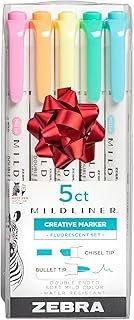
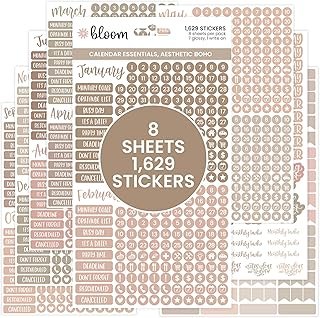
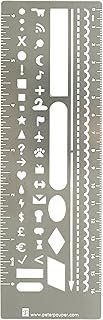
Tracker Supplies
Affiliate links – we earn from qualifying purchases.
noopener sponsored nofollownoopener sponsored nofollownoopener sponsored nofollownoopener sponsored nofollownoopener sponsored nofollowView on Amazon
noopener sponsored nofollownoopener sponsored nofollownoopener sponsored nofollownoopener sponsored nofollownoopener sponsored nofollowView on Amazon
Frequently Asked Questions
How many habits should I track at once?
Start with 3-5 habits maximum. Too many trackers becomes overwhelming and unsustainable. Master a few before adding more.
What if I forget to fill in my tracker?
Fill it in retroactively if you remember, or leave it blank. An incomplete tracker still has value—it shows you patterns in when you forget to track, which is data too.
Should my tracker be on its own page?
Monthly trackers typically get their own page or spread. But mini-trackers can be included in your monthly log or weekly spreads. Choose based on what you'll actually use.
Related Resources
- Free Tracker Templates – Printable trackers to download
- Beginner's Guide – Start here if you're new
- Spreads Gallery – More layout inspiration
Related Posts




Related Posts
Related Posts
Related Guides
Related Posts

Related Posts
What Should Your Weekly BuJo Layout Include: 10 Essential Spreads
5 Easy Habit Tracker Ideas Bullet Journal Step by Step for 2026
The Art of Drawing Readers In: Your attractive post title goes here
Travel Planning in Your Bullet Journal: Itinerary Ideas




✨ Our Recommendation
Editor's Pick: Simple sticky index tabs for quick page access in your dot grid journal or Leuchtturm1917.
Your Weekly Dose of Inspiration
Journaling ideas, family tips, and gentle inspiration.
Love this content?
Join the BulletJournals.net community for exclusive tips, guides, and updates.
Subscribe Free