
- Table of Contents
- Radically Simple Daily Logs for Maximum Output
- Honing the Art of Task Migration
- Monthly Task Spreads for Project-Level Thinking
- Beyond the Calendar: The Monthly Task List
- Project Collections: Your Brain Dump's Best Friend
- Structuring Your Collections
- Taming the Email Beast with Dedicated Tracking
- Mastering the Art of Weekly Reviews
- What to Include in Your Weekly Review:
- Ditch the Guilt: Adapting Your Bullet Journal Over Time
- Choosing the Right Supplies (Without Breaking the Bank)
- Frequently Asked Questions
- How much time does bullet journaling for work productivity take each day?
- What if I miss a day (or a week) of bullet journaling?
- Can I use a digital bullet journal for work productivity?
- What's the best way to handle distractions while bullet journaling at work?
- The Bottom Line on Bullet Journaling for Work
- Related Posts
- Related Reading
- Related Posts
- Related Reading
- Related Posts
It took me three abandoned Leuchtturm 1917 notebooks to realize my Instagram-worthy bullet journal wasn't actually helping me at work. All those perfectly stenciled habit trackers and color-coded project timelines? Beautiful, yes, but a time suck that added stress instead of alleviating it. I needed a system that boosted my work productivity, not my anxiety.
Table of Contents
- Radically Simple Daily Logs for Maximum Output
- Monthly Task Spreads for Project-Level Thinking
- Project Collections: Your Brain Dump's Best Friend
- Taming the Email Beast with Dedicated Tracking
- Mastering the Art of Weekly Reviews
- Ditch the Guilt: Adapting Your Bullet Journal Over Time
- Choosing the Right Supplies (Without Breaking the Bank)
- Frequently Asked Questions
- The Bottom Line on Bullet Journaling for Work
That's when I stripped it all back to basics, focusing on function over elaborate form. My bullet journal for work productivity became a place for quick task capture, ruthless prioritization, and reflection on what actually moved the needle. I stopped trying to be an artist and started being productive.
The truth is, the original bullet journal method created by Ryder Carroll wasn't about elaborate decoration — it was about intentionality. And that intentionality, when applied to work, can be a game-changer.
> * Prioritize rapid logging over elaborate layouts to save time.
> * Use collections to capture and organize your project ideas.
> * Customize your bullet journal to fit your specific work tasks and projects.
> * Focus on daily and weekly spreads to manage your time effectively.
> * Regularly review and migrate tasks to stay on top of your workload.
Radically Simple Daily Logs for Maximum Output
Forget those fancy, pre-printed daily planners with hourly breakdowns. My daily log is where I capture tasks as they come to me – meetings, emails, project steps, the whole shebang. I use a simple bullet point for each task, a dash for notes, and an “o” for events. The magic happens with prioritization.
I use a simple system:
An asterisk () for high-priority tasks I must do today.
- An exclamation point (!) for tasks that are important but can be moved.
- A simple strike-through to mark completed tasks.
This rapid logging method allows me to quickly assess what needs my immediate attention. It's not pretty, but it's effective.
Honing the Art of Task Migration
At the end of each day (or first thing in the morning), I review my daily log. Unfinished tasks get migrated. A forward arrow (->) means the task moves to the next day. A sideways arrow (>) means it gets bumped to a future log (monthly or project-specific). This process ensures nothing falls through the cracks and keeps my daily log focused on today's priorities.
Monthly Task Spreads for Project-Level Thinking
While daily logs handle the minute-to-minute, monthly task spreads offer a bird's-eye view. I use a simple calendar layout – just a grid with the days of the month. I jot down deadlines, meetings, and key project milestones. This is not the place for detailed task lists; it's for capturing overarching goals and commitments. If you want to learn more about monthly spreads, check out this article on why monthly task spreads make bullet journals better: https://bulletjournals.net/why-monthly-task-spreads-make-bullet-journals-better/.
Beyond the Calendar: The Monthly Task List
Alongside my calendar, I maintain a running list of tasks I want to accomplish that month. These are bigger-picture items that don't necessarily have a specific deadline but contribute to my overall goals. For example, “Finalize Q3 marketing report” or “Research potential vendors for new software.” This list keeps me focused on long-term objectives amidst the daily grind.

Project Collections: Your Brain Dump's Best Friend
This is where the real work productivity gains happen. Project collections are dedicated pages (or sections) for each ongoing project. Brainstorming, research, meeting notes, task lists – it all goes here. I find this incredibly helpful for keeping all project-related information in one place.
Structuring Your Collections
I like to start each collection with a brief project overview – goals, key stakeholders, deadlines. Then, I break down the project into smaller, manageable tasks. I use bullet points, checkboxes, or even mind maps, depending on the project's complexity. The key is to create a system that works for you.
Taming the Email Beast with Dedicated Tracking
Email can be a black hole of productivity. I started using my bullet journal to track important emails and follow-up actions. I dedicate a section to listing emails I need to respond to, follow up on, or file. I note the date sent, the recipient, and a brief summary of the email's content.
This simple system prevents important emails from getting lost in the shuffle and ensures I stay on top of my inbox. It's far more effective than relying solely on email reminders, which I often dismiss without taking action.
Mastering the Art of Weekly Reviews
This is the single most important habit for maximizing bullet journal for work productivity. Every Friday afternoon, I dedicate 30 minutes to reviewing my bullet journal. I look back at the week's accomplishments, identify roadblocks, and plan for the week ahead.
What to Include in Your Weekly Review:
- Review your daily logs and monthly task spreads.
- Migrate unfinished tasks.
- Brainstorm solutions to any challenges you faced.
- Prioritize tasks for the upcoming week.
- Identify any areas where you need to delegate or ask for help.
Honestly, this weekly review is the glue that holds my entire system together. It forces me to be intentional about my time and ensures I'm always working on the most important things.

Ditch the Guilt: Adapting Your Bullet Journal Over Time
Here's the thing: your bullet journal isn't set in stone. It's a living, breathing system that should evolve with your needs. I've abandoned countless spreads that looked great in theory but didn't work for me in practice. The one thing that frustrates me about pre-made templates is the lack of flexibility.
Don't be afraid to experiment, iterate, and ditch what isn't serving you. That habit tracker you meticulously crafted but haven't touched in three weeks? Let it go. That elaborate project timeline that's more confusing than helpful? Simplify it. Your bullet journal should be a tool that empowers you, not a source of stress.
Choosing the Right Supplies (Without Breaking the Bank)
You don't need a fancy notebook or expensive pens to create an effective bullet journal for work productivity. I personally prefer a Leuchtturm 1917 with dot grid paper (80gsm is my sweet spot – minimal ghosting), but a simple Mead notebook will do.
As for pens, I'm a big fan of the Sakura Pigma Microns for their crisp lines and archival quality. However, a basic Bic pen works just fine. The key is to choose supplies that you enjoy using and that won't bleed through the paper. One thing I will say is that I've had fountain pens ruin otherwise perfect spreads.

Frequently Asked Questions
How much time does bullet journaling for work productivity take each day?
It varies, but I spend about 5-10 minutes in the morning reviewing my daily log and prioritizing tasks, and another 5-10 minutes at the end of the day migrating tasks and planning for the next day. The weekly review takes about 30 minutes. It's a small time investment that pays off in increased focus and efficiency.
What if I miss a day (or a week) of bullet journaling?
Don't beat yourself up! Just pick up where you left off. Review your calendar, emails, and notes to catch up on any missed tasks or deadlines. The beauty of the bullet journal is its flexibility. It's not about perfection; it's about progress.
Can I use a digital bullet journal for work productivity?
Absolutely! While I personally prefer the tactile experience of pen and paper, digital bullet journals can be just as effective. Apps like GoodNotes and Notability offer similar functionality, allowing you to create custom layouts, track tasks, and manage projects. It really comes down to personal preference.
What's the best way to handle distractions while bullet journaling at work?
Find a quiet space where you can focus without interruptions. Close your email, silence your phone, and let your colleagues know you need some uninterrupted time. If distractions are unavoidable, try breaking your bullet journaling sessions into smaller chunks of time. For more tips, check out this article on Productivity Methods to Combine With Bullet Journaling: https://bulletjournals.net/productivity-methods-with-bullet-journaling/.
The Bottom Line on Bullet Journaling for Work
Using a bullet journal for work productivity isn't about creating a work of art; it's about creating a system that helps you focus, prioritize, and achieve your goals. By focusing on function over form, embracing simplicity, and adapting your bullet journal to your specific needs, you can transform it into a powerful tool for boosting your output and reducing stress. It's not a magic bullet, but it's pretty darn close.
Related Posts






Related Posts





Related Posts





✨ Our Recommendation
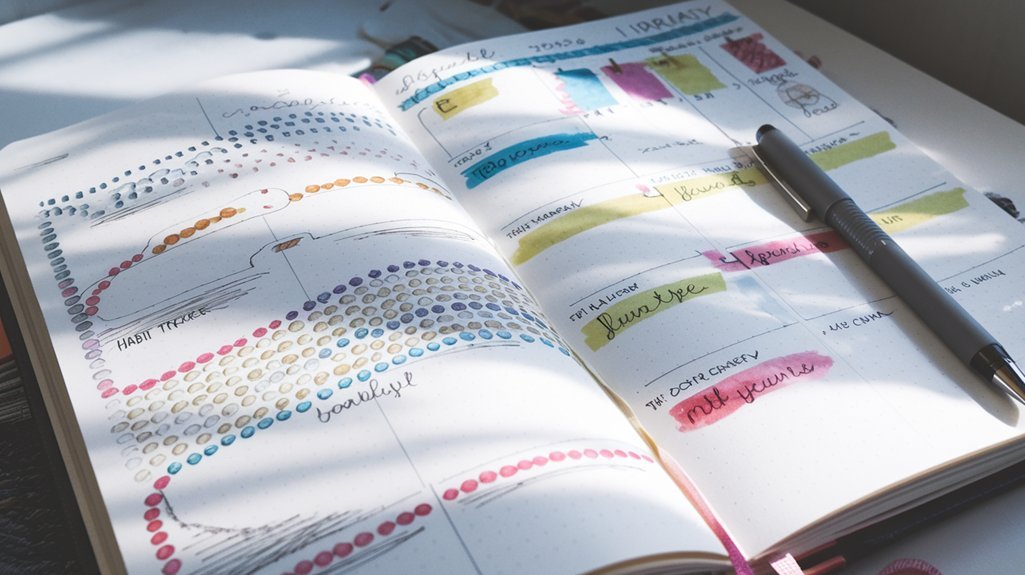
Editor's Pick: Dot grid journal for boosting bullet journal work productivity with precision and creativity.
Your Weekly Dose of Inspiration
Journaling ideas, family tips, and gentle inspiration.
Love this content?
Join the BulletJournals.net community for exclusive tips, guides, and updates.
Subscribe Free