- Digital Bullet Journals: GoodNotes and Beyond
- Paper Bullet Journals: A Classic Choice
- Hybrid Approaches: The Best of Both Worlds
- Notion: A Digital Note-Taking Powerhouse
- Choosing the Right System for You
- Frequently Asked Questions
- Q: Which digital app is better: GoodNotes or Notion?
- Q: Can I use a paper journal with a digital app? Q: Do I need to have a lot of technical knowledge to use a digital bullet journal?
- Related Posts
- Related Posts
- Related Posts
- Related Posts
Disclosure: This post contains affiliate links. If you click through and make a purchase, we may earn a small commission at no extra cost to you. Thank you for supporting this site!
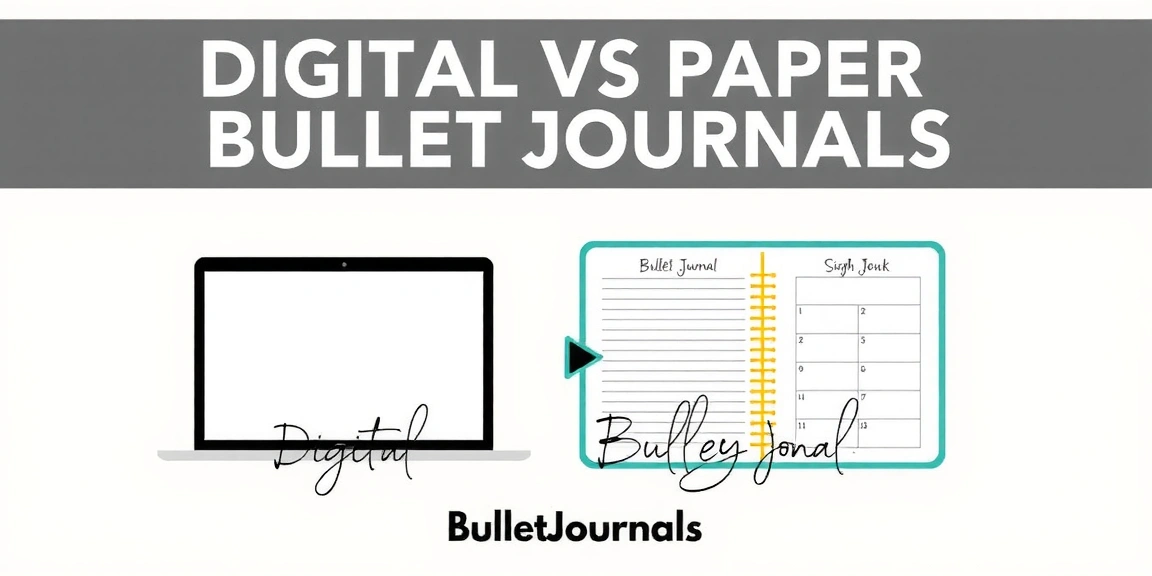
Are you torn between creating a digital bullet journal or using a traditional paper one? With the rise of digital note-taking apps and innovative paper-based tools, it's never been easier to customize your journaling experience. However, the age-old debate remains: which one is right for you? In this article, we'll dive into the pros and cons of digital and paper bullet journals, explore hybrid approaches, and provide you with practical tips to create a system that suits your lifestyle. Whether you're a tech-savvy individual or a paper enthusiast, we'll help you make an informed decision.
Digital Bullet Journals: GoodNotes and Beyond
GoodNotes is a popular digital note-taking app that allows you to create a digital bullet journal. With a vast array of templates, symbols, and fonts, you can customize your journal to suit your style. One of the key benefits of using GoodNotes is its seamless integration with other Apple devices, making it an excellent choice for those invested in the Apple ecosystem.
Some of the key features of GoodNotes include:
- Support for multiple note types, including bullet journals, to-do lists, and sketchbooks
- Import and export capabilities for PDF, PNG, and JPEG files
- Apple Pencil support for smooth and precise handwriting
One of the main advantages of digital bullet journals is their flexibility and accessibility. With GoodNotes, you can access your journal from any device with an internet connection, making it perfect for those who need to access their notes on-the-go.
Paper Bullet Journals: A Classic Choice
Paper bullet journals have been a staple in the journaling community for years, and for good reason. There's something tactile and satisfying about writing in a physical journal, and many find it easier to focus and retain information when using paper.
Some of the key benefits of paper bullet journals include:
- No distractions or notifications to interrupt your journaling experience
- The ability to create custom layouts and designs with a wide range of paper and pen options
- No need to worry about battery life or device storage space
However, paper bullet journals also come with their own set of drawbacks, including the need for physical storage space and the potential for lost or damaged journals.
Hybrid Approaches: The Best of Both Worlds
For those who can't decide between digital and paper bullet journals, hybrid approaches offer a middle ground. By combining the benefits of both, you can create a system that suits your unique needs and preferences.
Some popular hybrid approaches include:
- Using a digital app like GoodNotes for daily notes and a paper journal for long-term projects and brainstorming
- Creating a digital index to organize your paper journal and keep track of important pages
- Using a paper journal as a reference guide and a digital app for daily planning and task management
Notion: A Digital Note-Taking Powerhouse
Notion is a powerful digital note-taking app that offers a wide range of features and customization options. With Notion, you can create complex databases, tables, and Kanban boards to manage your tasks and projects.
Some of the key benefits of using Notion include:
- Support for multiple note types, including databases, tables, and Kanban boards
- Collaboration features for working with others in real-time
- Customization options for creating a tailored experience
However, Notion can be overwhelming for those new to digital note-taking, and its steep learning curve may deter some users.
Choosing the Right System for You
Ultimately, the choice between a digital and paper bullet journal comes down to personal preference and lifestyle. Consider the following factors when making your decision:
- Your level of tech-savviness and comfort with digital tools
- Your need for flexibility and accessibility
- Your preference for tactile experiences and creative expression
By considering these factors and exploring different hybrid approaches, you can create a system that suits your unique needs and preferences.
Frequently Asked Questions
Q: Which digital app is better: GoodNotes or Notion?
Both GoodNotes and Notion are excellent digital note-taking apps, but they cater to different needs and preferences. GoodNotes is ideal for those who want a simple, intuitive experience for creating digital bullet journals, while Notion is better suited for those who need a powerful, customizable tool for managing complex projects and tasks.
Q: Can I use a paper journal with a digital app?Q: Do I need to have a lot of technical knowledge to use a digital bullet journal?
No, you don't need to be tech-savvy to use a digital bullet journal. Many digital apps, including GoodNotes and Notion, offer user-friendly interfaces and tutorials to help you get started. However, if you're new to digital note-taking, it may take some time to familiarize yourself with the features and customization options.
Related Posts





Related Posts
Related Posts
Related Posts
🔍 Our Top Pick
Editor's Pick: Vinyl Sticker Set for monthly theme decoration, add a pop of personality to your digital or paper bujo!
Your Weekly Dose of Inspiration
Journaling ideas, family tips, and gentle inspiration.
Love this content?
Join the BulletJournals.net community for exclusive tips, guides, and updates.
Subscribe Free