- Searching the World's Largest Book Index
- Previewing and Reading Books Online
- Browsing and Discovering New Books
- Accessing Full-Text Books
- Using Google Books for Research and Study
- Using Google Books for Personal Development and Learning
- Using Google Books on Mobile Devices
- Conclusion
- Frequently Asked Questions
- Is Google Books free to use?
- Can I access full-text books on Google Books?
- Can I download books from Google Books?
- Related Posts
- Related Posts
- Related Posts
- Related Posts
Disclosure: This post contains affiliate links. If you click through and make a purchase, we may earn a small commission at no extra cost to you. Thank you for supporting this site!
Imagine having access to over 25 million books from the world's most renowned libraries, universities, and publishers, all in one place. This is exactly what Google Books offers, allowing you to search, preview, and read books online. Whether you're a student, researcher, or bookworm, Google Books is an invaluable resource that can save you time, effort, and even money. With its vast collection of full-text books, you can discover new authors, expand your knowledge, and explore different subjects from the comfort of your own home.
Searching the World's Largest Book Index
Google Books is more than just a digital library; it's a comprehensive index of full-text books that can be searched using keywords, authors, titles, or subjects. With over 25 million books in its database, you can search for specific titles, authors, or topics and get instant results. For instance, searching for “books on productivity” yields over 100,000 results, while searching for “classic literature” returns over 10,000 titles. This level of accessibility makes it an ideal resource for students, researchers, and anyone looking to expand their knowledge.
When searching for books on Google Books, you can also filter your results by language, publication date, and even book format. This feature is particularly useful for students who need to read books in a specific language or researchers who require access to historical texts. For example, searching for “books on artificial intelligence” in Spanish yields over 5,000 results, while searching for “classic novels” from the 19th century returns over 2,000 titles.
Previewing and Reading Books Online
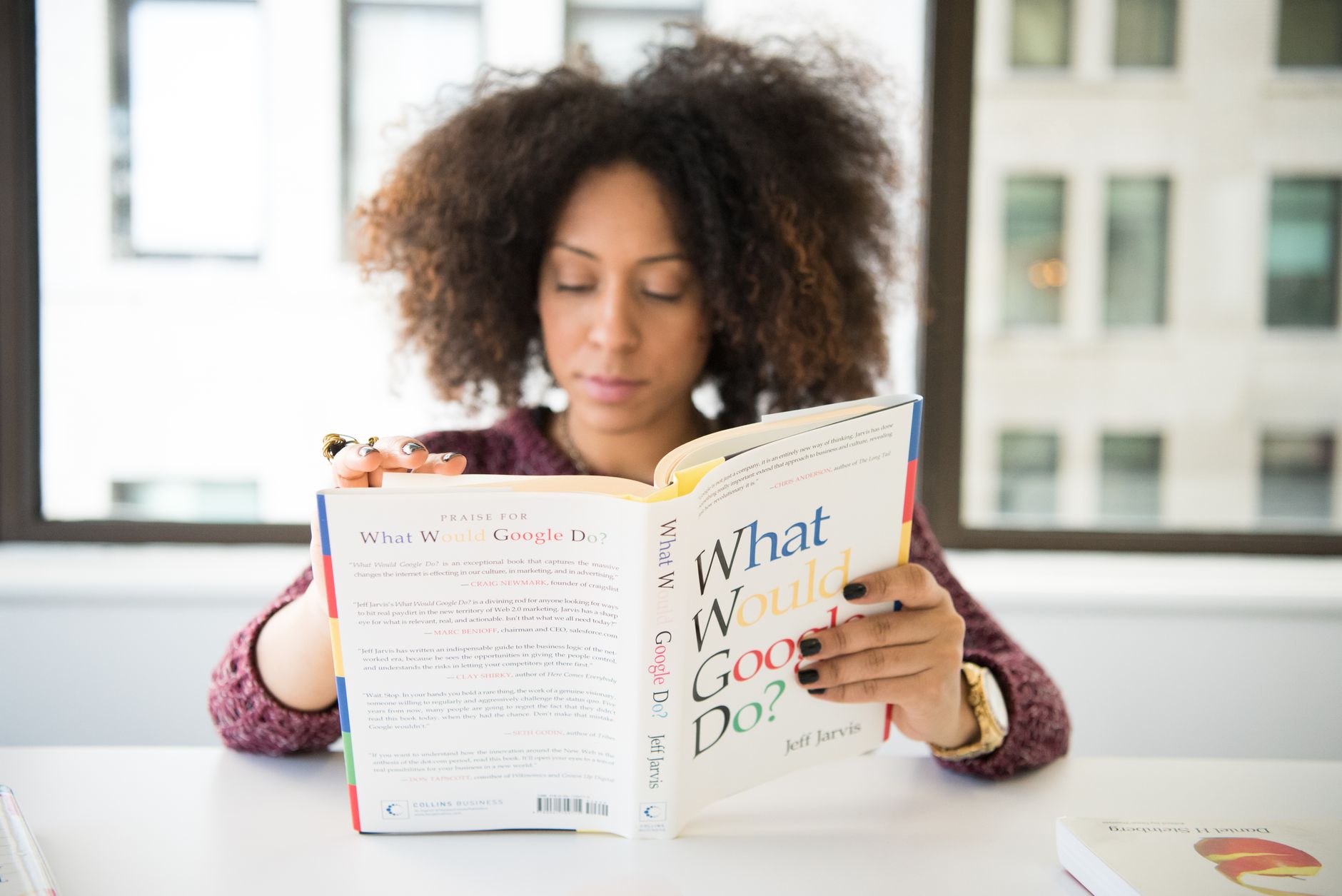
One of the most exciting features of Google Books is its ability to preview and read books online. You can browse through book previews, reading snippets, and even full-text books, all without leaving your browser. Previewing books on Google Books allows you to see the table of contents, chapter headings, and even sample pages, giving you a better idea of what the book is about. For instance, previewing “The Great Gatsby” by F. Scott Fitzgerald reveals the book's contents, including the introduction, chapter headings, and even a sample page.
When previewing books on Google Books, you can also see the book's metadata, including the author, publisher, publication date, and even the book's ISBN. This feature is particularly useful for researchers who need to verify the authenticity of a book or students who need to cite sources in their research papers. For example, previewing “The Origin of Species” by Charles Darwin reveals the book's metadata, including the author, publisher, and publication date.
Browsing and Discovering New Books
Google Books is not just a search engine; it's also a discovery platform that allows you to browse and explore new books. You can browse through bookshelves, author pages, and even subject categories to discover new titles, authors, and topics. For instance, browsing through the “self-help” section yields over 10,000 titles, while browsing through the “fiction” section returns over 50,000 titles.
When browsing books on Google Books, you can also see the book's cover art, author bio, and even reviews from other readers. This feature is particularly useful for book lovers who want to discover new authors and books that match their interests. For example, browsing through the “mystery” section reveals a list of bestselling authors, including Agatha Christie and Arthur Conan Doyle.
Accessing Full-Text BooksAccessing Full-Text Books
One of the most exciting features of Google Books is its ability to provide access to full-text books. While not all books on Google Books are available in full-text format, many are, including classics, public domain works, and even some modern titles. You can access full-text books on Google Books by searching for specific titles or authors and then clicking on the “Full view” button.
When accessing full-text books on Google Books, you can read, download, and even print the book. You can also use the book's search function to find specific keywords or phrases within the text. For instance, searching for “climate change” within “The Origin of Species” yields several results, while searching for “love” within “Pride and Prejudice” returns several quotes and passages.
Using Google Books for Research and Study
Google Books is an invaluable resource for researchers, students, and anyone looking to expand their knowledge. With its vast collection of full-text books, you can search, preview, and read books online, all from the comfort of your own home. You can use Google Books to research topics, find sources for your papers, and even access academic journals and publications. For instance, searching for “academic journals on artificial intelligence” yields over 1,000 results, while searching for “research papers on climate change” returns over 5,000 titles.
When using Google Books for research and study, you can also use its advanced search features to narrow down your results. You can search by language, publication date, and even book format. This feature is particularly useful for students who need to read books in a specific language or researchers who require access to historical texts. For example, searching for “classic novels” from the 19th century in French yields over 1,000 results, while searching for “modern poetry” in Spanish returns over 500 titles.
Using Google Books for Personal Development and Learning
Google Books is not just for researchers and students; it's also a valuable resource for personal development and learning. With its vast collection of full-text books, you can search, preview, and read books online, all from the comfort of your own home. You can use Google Books to learn new skills, expand your knowledge, and even access self-improvement books and resources. For instance, searching for “books on productivity” yields over 100,000 results, while searching for “self-improvement books” returns over 50,000 titles.
Using Google Books on Mobile Devices
Google Books is not just a website; it's also a mobile app that allows you to search, preview, and read books on the go. You can download the Google Books app on your Android or iOS device and access the world's largest book index from anywhere. When using Google Books on mobile devices, you can also use its advanced search features to narrow down your results. You can search by language, publication date, and even book format. This feature is particularly useful for students who need to read books in a specific language or researchers who require access to historical texts. For example, searching for “classic novels” from the 19th century in French yields over 1,000 results on the Google Books app.
Conclusion
Google Books is an invaluable resource for anyone looking to expand their knowledge, research topics, or access full-text books online. With its vast collection of over 25 million books, you can search, preview, and read books online, all from the comfort of your own home. By using Google Books, you can discover new authors, explore different subjects, and even access academic journals and publications. So, whether you're a student, researcher, or bookworm, Google Books is an essential tool that can save you time, effort, and even money.
**Key Takeaways:**
- Google Books is a comprehensive index of full-text books that can be searched using keywords, authors, titles, or subjects.
- Google Books allows you to preview and read books online, including classic novels, public domain works, and even some modern titles.
- Google Books is an invaluable resource for researchers, students, and anyone looking to expand their knowledge.
**Recommendation:**
If you're a book lover, researcher, or student looking to expand your knowledge, I highly recommend using Google Books. With its vast collection of full-text books, you can search, preview, and read books online, all from the comfort of your own home. Whether you're looking for classic novels, academic journals, or self-improvement books, Google Books is the perfect resource for you.
Frequently Asked Questions
Is Google Books free to use?
Yes, Google Books is free to use, and you don't need to create an account to access its features. However, some features, such as accessing full-text books, may require you to sign in with a Google account.
Can I access full-text books on Google Books?
Yes, you can access full-text books on Google Books, but not all books are available in full-text format. You can search for specific titles or authors and then click on the “Full view” button to access the full-text book.
Can I download books from Google Books?
Yes, you can download books from Google Books, but only if the book is available in full-text format and you have a Google account. You can also print books from Google Books, but be aware that some books may have copyright restrictions.
Related Posts
 Bullet Journal sticker spreads” srcset=”https://bulletjournals.net/wp-content/uploads/2025/03/minimal_decorative_bullet_journal_sticker_spreads.jpg 1025w, https://bulletjournals.net/wp-content/uploads/2025/03/minimal_decorative_bullet_journal_sticker_spreads-300×168.jpg 300w, https://bulletjournals.net/wp-content/uploads/2025/03/minimal_decorative_bullet_journal_sticker_spreads-768×431.jpg 768w” sizes=”(max-width: 480px) 100vw, 480px” />
The Best bullet journal Stickers for Simple Spreads
Bullet Journal Supplies List
December Bullet Journal Setup: Holiday Mood Tracking & Festive Planning
12 Best Bullet Journal Spreads for Small Business Owners



Related Posts
Related Posts
✨ Our Recommendation
Editor's Pick: Compact dot grid notebook for tracking your online literary finds.
Related Posts
Your Weekly Dose of Inspiration
Journaling ideas, family tips, and gentle inspiration.
Love this content?
Join the BulletJournals.net community for exclusive tips, guides, and updates.
Subscribe Free