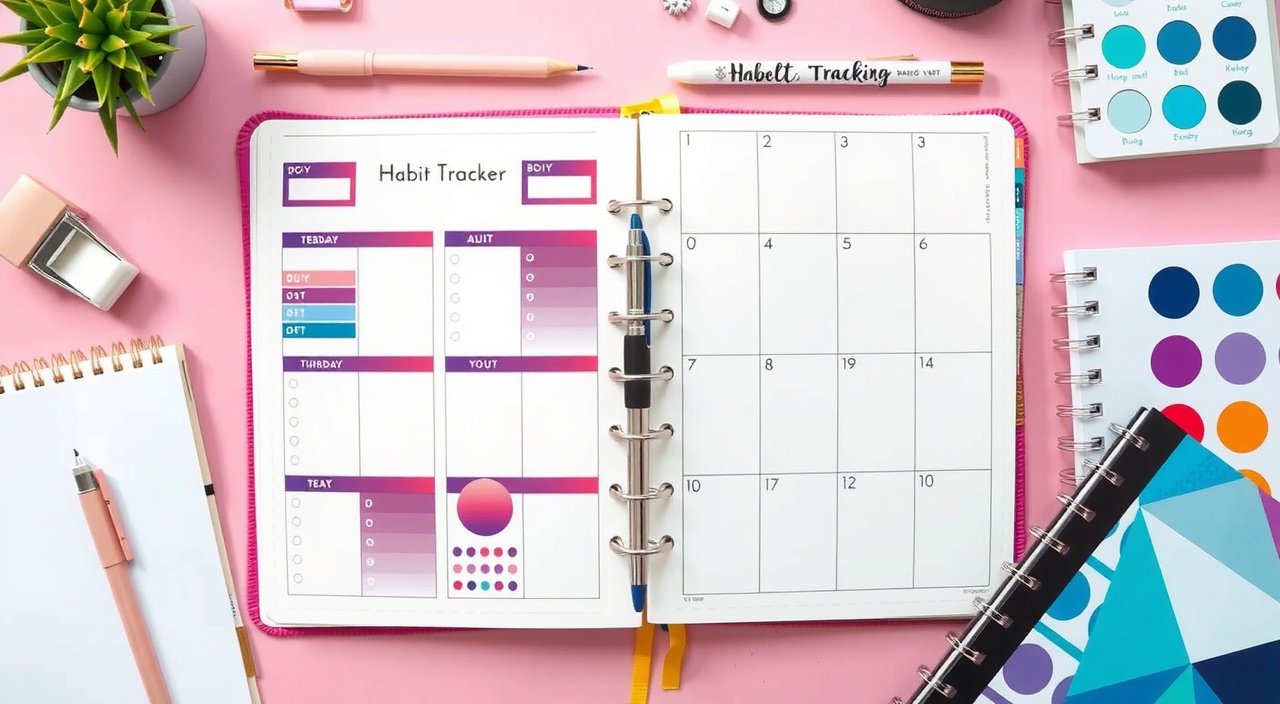
Here is the thing: I'll be honest—I've filled more failed habit trackers than I care to count. Those first few years of bullet journaling? Let's just say my enthusiasm for creating elaborate tracking systems far exceeded my ability to actually use them.
This post contains affiliate links. If you purchase through these links, we may earn a commission at no extra cost to you.
But here is what You probably miss: the right habit tracker layout isn't just about pretty colors and Instagram-worthy spreads. It's about creating a system that genuinely helps you build lasting habits. What this means for you is that you who track their habits are 70% more likely to achieve their goals. Want to know the secret? Finding a layout that works with your brain, not against it.
Whether you're tracking water intake, meditation, or that elusive morning routine, your layout can make or break your success. You will appreciate this. Let me share everything I've discovered about creating habit trackers that actually stick.
In This Article
- Understanding Habit Tracker Layout Fundamentals
- Daily Habit Tracker Layouts
- Weekly Habit Tracker Layouts
- Monthly Habit Tracker Layouts
- Specialized Habit Tracker Layout Types
- Digital vs. Analog Habit Tracker Layouts
- Customizing Your Habit Tracker Layout
- Layout Design Best Practices
- Common Layout Mistakes and Solutions
- Frequently Asked Questions
Understanding Habit Tracker Layout Fundamentals
Ready for this? Every successful habit tracker needs four essential components, and I learned this the hard way after creating countless trackers that looked amazing but functioned terribly.
Core Elements of Effective Habit Trackers
First, you need clear date markers. Sounds obvious, right? But here is what nobody tells you: I've seen (and created) so many beautiful trackers where you couldn't quickly identify what day you were supposed to fill in. Your dates should be immediately scannable—your future self will thank you.
Second, habit names need to be specific and visible. This matters to you because Here's where it gets interesting: “Exercise” is vague and sets you up for failure. “20-minute walk” is actionable and clear. Your layout should accommodate specific habit descriptions without cramming everything together into an unreadable mess.
Third, your tracking method must be consistent. Pro tip: Decide upfront whether you're using dots, X's, colors, or numbers. Whatever you choose, stick with it throughout your entire tracker. I spent months switching between systems mid-month and wondering why I felt confused every time I opened my journal.
But wait, there is more. What you should remember is Finally, visual cues help your brain process progress instantly. This is something you should know: could be color gradients, progress bars, or simple patterns that emerge as you fill in your tracker. You will find that the goal? You should be able to glance at your tracker and immediately know how you're doing.
Psychology Behind Visual Habit Tracking
Here is the truth: our brains are wired to seek patterns and completion. When you see a row of filled-in habit boxes with just one empty space, your brain desperately wants to complete that pattern. It's like leaving a puzzle piece out—it bugs you until you fix it.
Think about it: This is why visual tracking works so well for you. You can see how You're not just recording data; you're creating a visual story of your progress. Those little dopamine hits from filling in boxes? They're not just feel-good moments—they're literally rewiring your brain to crave the habit itself.
But here is the catch: The layout plays a huge role in this psychological process. A cluttered, confusing tracker creates friction between you and success. A clean, intuitive layout removes barriers and makes tracking feel effortless.
Choosing the Right Layout for Your Personality Type
The real question is: Are you a minimalist who gets overwhelmed by too many options? Or do you thrive on detailed data and complex systems? Your tracker layout should match your personality, not fight it.
Here is what I discovered: I'm naturally drawn to detailed systems (hello, fellow overthinkers!), but I've learned that my most successful trackers are surprisingly simple. If you're a perfectionist, build forgiveness into your layout—maybe use dots instead of harsh X's, or include space for notes about why you missed a day.
Quick note: Visual learners benefit from color-coded systems and progress bars. As you might expect, Detail-oriented people love numbered scales and correlation tracking. Busy parents need layouts they can fill in quickly, maybe during naptime or school pickup.
Daily Habit Tracker Layouts
Here is where it gets interesting: Sometimes the simplest solution is the best solution for you.
Simple Daily Checkbox Systems
A basic daily checkbox system is exactly what it sounds like: a list of habits with boxes to check off each day. But here is what You probably miss: this layout works best when you're just starting to build new habits.
I use this layout for habits I'm just starting to build. Three to five habits max, listed vertically with a single checkbox next to each. That's it. You will find that No fancy colors, no elaborate designs—just pure functionality that you can actually maintain.
The kicker? Placement matters more than design. Put your daily tracker somewhere you'll see it naturally. I put mine right next to my daily task list because I'm already looking there multiple times per day.
Time-Based Daily Trackers
For habits tied to specific times, you'll want to integrate your tracker into an hourly schedule. This is something you should know: works brilliantly for habits like taking vitamins with breakfast, afternoon walks, or evening skincare routines.
Here is my setup: Create a simple timeline down your page with hours marked. Add small boxes or circles next to the relevant times for your habits. For you, this means When 7 AM rolls around and you see that empty circle next to “vitamins,” you'll remember without needing to think about it.
Pro tip: I've found this especially helpful for new habits that don't have strong time anchors yet. You will find that the visual connection between time and action helps build those neural pathways faster than you might expect.
Priority-Focused Daily Layouts
Plot twist: What if you grouped habits by importance or energy level? Morning, afternoon, and evening sections help you tackle habits when you're most likely to succeed.
Here is how I organize mine: My morning section includes habits that need my fresh energy: journaling, exercise, meditation. Afternoon gets the maintenance habits: water tracking, posture check-ins. Evening is for winding-down habits: reading, phone-free time, skincare.
So what does this mean for you? This approach prevents habit overwhelm because you're not staring at a massive list all day. You focus on morning habits in the morning, then move on. Notice how you can Your brain stays clear and focused.
Weekly Habit Tracker Layouts
But here is what nobody tells you: Weekly tracking gives you the sweet spot between daily overwhelm and monthly disconnection.
Grid-Based Weekly Trackers
The classic seven-day grid is popular for good reason—it works for most people. List your habits down the left side, days of the week across the top, and fill in the intersections as you complete each habit.
But here is the catch: I learned after years of weekly grids that Sunday-to-Saturday works better than Monday-to-Sunday for most people. Want to know why? Because you can see your whole weekend at once, and weekends often need different habit strategies than weekdays.
Fair warning: I also recommend limiting yourself to seven habits max in a weekly grid. More than that and the grid becomes overwhelming to scan quickly. Your journal, your rules, but simplicity wins.
Circular and Creative Weekly Designs
Ready for this? Tired of boring grids? Try a habit wheel that will transform how you see your progress. Think about how you would Draw a circle for each day, divide it into segments for each habit, and color in segments as you complete habits. By the end of the week, you'll have seven colorful wheels showing your progress.
And that is not all. Another creative approach: habit flowers. As you explore, each habit gets a seven-petaled flower, one petal for each day. As you complete the habit, color in that day's petal. You might wonder why By week's end, you can see which habits “bloomed” and which need more attention.
Here is the good news: These creative layouts work especially well if you're a visual person who finds traditional grids boring. The beauty is in the process, and you'll actually look forward to updating your tracker.
Weekly Review Integration
But it gets better. The real power of weekly tracking comes from review and adjustment. I always include space at the bottom of my weekly tracker for reflection questions that you should ask yourself:
- Which habit felt easiest this week?
- What obstacle showed up most often?
- What's one small adjustment I could make next week?
Let me explain: This isn't just feel-good journaling—it's practical system improvement. Those weekly insights help you refine your approach before problems become patterns that derail your progress.
Monthly Habit Tracker Layouts
Here is where it gets interesting: Monthly tracking gives you the big picture perspective that daily and weekly trackers simply cannot provide.
Calendar-Style Monthly Trackers
A monthly calendar view shows you patterns you might miss otherwise. You will appreciate this. Think about it: You can spot trends like “Oh, I always skip my evening routine on Wednesdays because of that late meeting.”
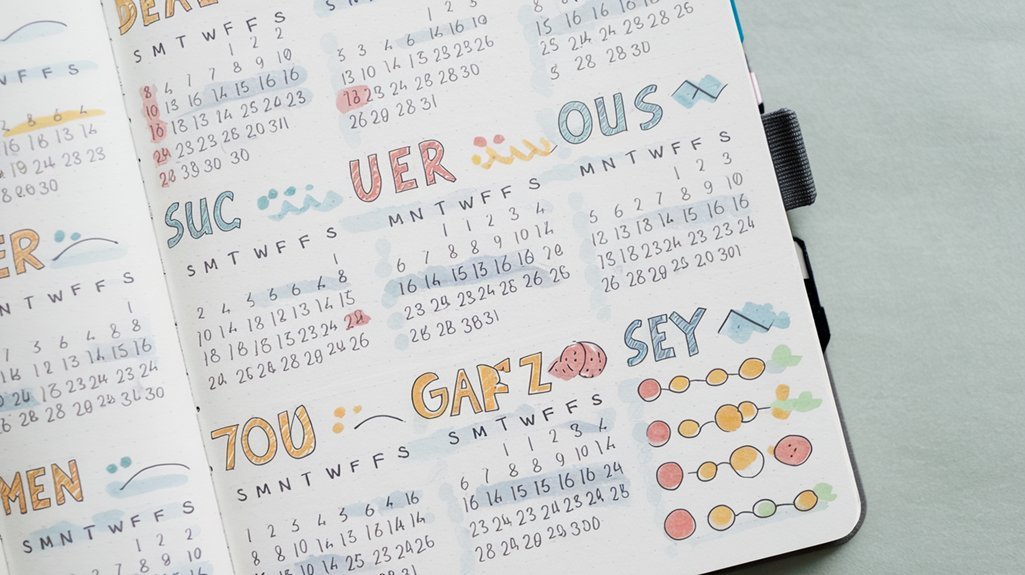
Here is my setup: For calendar-style tracking, assign each habit a symbol or color that you'll remember easily. Mark each day with the symbols for completed habits. By month's end, you'll see which habits have consistent patterns and which are more scattered.
Quick note: I like to use small dots in different colors—it keeps the calendar clean while still showing progress clearly. You don't want your calendar to look like a rainbow exploded on it.
Habit-Specific Monthly Spreads
Now here is the problem: Sometimes one habit deserves its own page, especially if you're working on something important like exercise or a creative practice that matters deeply to you.
Here is what you can do: Create a dedicated spread with a 30-day grid for just that habit. Include space for notes about intensity, mood, obstacles, or wins. This matters to you because For exercise, you might note the type of workout. For creative habits, maybe the project you worked on.
The bottom line? This extra detail helps you understand not just whether you did the habit, but how it's evolving and improving over time.
Monthly Progress Visualization
But wait, there is more. Numbers tell stories, but visuals tell them faster and more convincingly. Create progress bars, completion percentages, or streak counters alongside your monthly tracker.
Mind-blowing, right? I love drawing simple bar graphs showing my completion rate for each habit. Seeing that my meditation habit went from 60% to 85% completion over three months? That's motivating in a way that raw numbers simply aren't.
Specialized Habit Tracker Layout Types
Here is the truth: Not every habit fits into a standard checkbox system, and you deserve layouts that match your unique goals.
Habit Stacking Trackers
Some habits work better in sequences, and you probably know this from your own experience. What you should remember is If you're building a morning routine with multiple habits, track them as a chain rather than individual items.
Here is how it works: Create connected boxes or a literal chain drawing. Only mark the chain as complete if you do all the habits in sequence. This reinforces the connection between habits and helps build stronger routines than isolated tracking ever could.
Pro tip: I use this for my “Launch Sequence”—meditation, coffee, journal review, daily planning. These are elements you will encounter: four habits work best together, so I track them as one unit. Start simple, evolve as you go.
Mood and Energy Integration
But here is what You probably miss: Your emotional state affects habit completion more than you might realize. You can see how Add a simple mood or energy tracker alongside your habits to spot correlations that will surprise you.
Here is what you should try: Use a 1-5 scale or emoji system to rate your mood/energy each day. After a month, you might notice that you skip workouts on low-energy days but nail your reading habit, or that meditation is most crucial on high-stress days.
So what does this mean for you? This data helps you adjust expectations and choose the right habits for different emotional states instead of fighting against your natural rhythms.
Goal-Oriented Tracking Systems
Plot twist: Some habits are building toward specific goals—running a 5K, writing a book, learning a language. For these, you need milestone-based trackers that show progress toward your end goal.
Here is what works better: Instead of just tracking “wrote today,” track word count toward your book goal. Instead of “practiced Spanish,” track lessons completed in your course. The visual progress toward a concrete goal provides different motivation than simple consistency tracking.
The kicker? You'll stay motivated longer because you can see exactly how each day's effort moves you closer to your bigger dream.
Digital vs. As you might expect, Analog Habit Tracker Layouts
Ready for this? The great digital versus paper debate isn't really about which is better—it's about which works better for you.
Paper-Based Layout Advantages
There's something special about physically marking progress on paper that you can't get from a screen. What you should know is that handwriting engages different brain pathways than typing, which can strengthen memory and commitment to your habits.
But here is what nobody tells you: Paper trackers also offer unlimited customization. Want to change your layout mid-month? Just grab a pen. Need to add a note about why you missed a habit? Scribble it in the margin. Creative freedom awaits at every turn.
Fair warning: The tactile experience matters too. You will find that That satisfying feeling of filling in a box or coloring a circle creates a stronger reward response than tapping a screen. Your brain craves that physical connection.
Digital Tracker Features and Flexibility
But it gets better with digital systems. You will notice that they have their own superpowers that paper simply cannot match. Automated reminders ensure you don't forget to track. Data analysis shows trends you might miss in paper systems. For you, this means Cloud syncing means your tracker is always with you.
Here is where digital excels: Digital systems are amazing at handling complex habits with multiple metrics. Tracking exercise intensity, mood, and duration is clunky on paper but smooth in an app designed for that purpose.
Hybrid Tracking Approaches
But here is the catch: Why choose just one? I use digital reminders but track on paper, and this combination gives me the best of both worlds.
Here is my setup: My phone buzzes to remind me about habits, but I record progress in my bullet journal. You could also use apps for data-heavy habits (like fitness tracking) but paper for simpler habits (like gratitude or reading).
The bottom line? Find the combination that gives you the benefits of both without the downsides of either. Your system should serve you, not stress you.
Customizing Your Habit Tracker Layout
Now here is the problem: One size fits none For habit tracking layouts.
Personalizing for Different Habit Types
Not all habits need the same tracking approach, and you probably know this from your own failed attempts. Binary habits (did it or didn't) work fine with checkboxes. Notice how you can But habits with intensity or duration need different layouts entirely.
Here is what I do: For meditation, I track both completion and duration. For water intake, I use a simple glass-filling visual with tick marks for each cup. For exercise, I note the type and rate the intensity on a 1-5 scale.
Quick note: Match your tracking method to the nature of the habit. Forcing a complex habit into a simple checkbox often leads to tracking failure and frustration.
Adapting Layouts Over Time
Here is the good news: Your tracking needs will change as habits become automatic, and that's exactly what should happen. That detailed morning routine tracker you needed in month one? By month six, you might just need a simple “morning routine complete” checkbox.
Don't be afraid to simplify as habits solidify. Think about how you would The goal is building habits, not maintaining elaborate tracking systems forever. I review my trackers monthly and often graduate established habits to a simpler tracking method or remove them entirely.
Think about it: If you're doing a habit automatically, do you really need to track it anymore?
Troubleshooting Layout Problems
But here is what You probably miss: If your tracker isn't working, the problem usually isn't your willpower—it's your system. Common problems include:
- Too many habits (limit to 3-5 when starting)
- Too complex (simple is almost always better)
- Wrong location (put it where you'll see it naturally)
- All-or-nothing thinking (build in forgiveness)
Let me explain: If you're consistently forgetting to track, the problem might be placement rather than motivation. If you're giving up after missing a few days, the problem might be perfectionism rather than design.
Layout Design Best Practices
Here is the truth: Clean, scannable layouts beat pretty, complex ones every single time.
Visual Design Principles
Use plenty of white space that gives your eyes room to breathe. Make sure text is large enough to read quickly without squinting. You might wonder why Group related elements together so your brain can process information faster.
But here is the catch: Color can enhance your tracker, but it shouldn't be necessary for function. If your tracker only makes sense in color, it's too complex for daily use.
Pro tip: Consistency in spacing, fonts, and symbols reduces cognitive load. Your brain should be able to process the layout automatically, leaving mental energy for actually doing the habits.
User Experience Improvement
The real question is: Does your layout get out of the way? The best tracker layout is invisible—it lets you focus on habits, not tracking mechanics that eat up your time and energy.
Make tracking quick and painless. If it takes more than 30 seconds to update your tracker, it's too complex and you'll abandon it. Keep tracking materials easily accessible. I keep my journal open to my current tracker page so updating it requires zero setup time.
Sustainability and Long-Term Use
Fair warning: Design for your laziest day, not your most motivated day. When you're tired, stressed, or overwhelmed, will you still use this tracker? That's the real test of a good system.
Here is what works: Build momentum rather than perfection. A simple system you use consistently beats an elaborate system you abandon after two weeks of initial enthusiasm.
But wait, there is more. Think seasonal too. Your summer habit priorities might differ from winter ones. Design layouts that can adapt or be easily modified as your life changes.
Common Layout Mistakes and Solutions
Here is what nobody tells you: Most habit tracker failures aren't about lack of motivation—they're about poor design choices.
Overcomplicating Tracking Systems
I've been there—the tracker that required five different colored pens, complex symbols, and a legend to decode. You might wonder why it was beautiful and completely unusable after the first week.
Now here is the problem: If you find yourself avoiding your tracker, it's probably too complicated. Simplify without mercy. Can you track the same information with fewer steps? Fewer materials? Less thinking? The answer is usually yes.
Inconsistent Layout Usage
Missing a day or two of tracking doesn't mean failure—it means you're human and life happened. But here is the catch: You may abandon trackers entirely after a short break, which is the real tragedy.
Here is the good news: Build comeback strategies into your system. Maybe you fill in missed days in a different color, or you include a “fresh start” option mid-month. The tracker should encourage return, not punish absence with guilt and shame.
Recovery Strategies for Failed Trackers
Recommended for You
🛒 Habit Tracker Journal
As an Amazon Associate we earn from qualifying purchases.
When a tracker isn't working, diagnose the specific problem before scrapping the whole system and starting over. Are you forgetting to track? Change the location. Are you overwhelmed by too many habits? Reduce the list. Is the layout confusing? Simplify the design.
The kicker? Sometimes the habit is fine but the tracking method is wrong. I spent months trying to track water intake with numbers before switching to a simple visual pitcher that I “filled in” throughout the day. Mind-blowing how much difference the right visual makes.
Frequently Asked Questions
How many habits should you include in your tracker layout?
Start with 3-5 habits maximum when you're beginning. You can always add more once these become automatic. Too many habits at once overwhelm your brain and set you up for failure.
What's the best time of day for you to update your habit tracker?
Choose a consistent time that fits your routine. You may prefer evening reviews, but morning updates work well if you're tracking the previous day. The key is consistency—pick a time you can stick with.
Should you track habits you've already established?
It depends on your goals. If a habit is truly automatic, you might graduate it off your tracker to make room for new ones. However, if you want to maintain awareness or track quality/intensity, keep it on your list.
How do you handle missed days in your habit tracker?
Build forgiveness into your system. You could use a different color for missed days, add a note about why you missed it, or simply move forward without dwelling on gaps. The goal is progress, not perfection.
Can you change your habit tracker layout mid-month?
Absolutely! If your current layout isn't working for you, modify it. Your system should serve you, not trap you. Make adjustments as you learn what works best for your lifestyle and preferences.
What's the difference between digital and paper habit trackers for your success?
Both work well—choose based on your preferences. Paper offers tactile satisfaction and unlimited customization. Digital provides automated reminders and data analysis. You may use a hybrid approach combining both benefits.
—
The perfect habit tracker layout doesn't exist—but your perfect habit tracker layout absolutely does. It's the one that makes tracking feel effortless, provides just enough information without overwhelming you, and actually helps you build lasting habits that stick.
Here is my advice: Start simple. Really simple. Pick three habits and track them with basic checkboxes for a month. Notice what works, what doesn't, and what you wish you could see. Then make small adjustments and test again.
Remember, your tracker should serve you, not stress you. If it's not helping you build habits, it's not working—no matter how pretty it looks on social media. Trust your experience over Pinterest perfection, and keep this in mind: the best habit tracker is the one you'll actually use consistently.
What layout will you try first? Start small, stay consistent, and let your system grow with you. Your future self will thank you for beginning today.
Related Posts



Related Posts
Related Posts
Related Posts
Related Posts
Related Posts
Related Posts
Your Weekly Dose of Inspiration
Journaling ideas, family tips, and gentle inspiration.