- In This Article
- Key Takeaways
- The 2026 Annual Overview: Your Year at a Glance
- The Weekly Priority Matrix: Eisenhower Meets Bullet Journaling
- The Mental Clarity Brain Dump Spread
- The Habit & Mood Correlation Tracker
- The Weekly Time Blocking Layout
- The Gratitude and Wins Log
- Rapid Logging for Daily Tasks
- Adapting These Layouts for You
- Sources & further reading
- FAQ
- Related Posts
- Related Posts
Disclosure: This post contains affiliate links. If you click through and make a purchase, we may earn a small commission at no extra cost to you. Thank you for supporting this site!
Is your current planner system leaving you feeling scattered instead of focused as we approach 2026? You're not alone. After filling over 20 journals, I've learned that the layouts you choose are the secret sauce for turning chaos into clarity. A generic weekly spread might track your appointments, but a thoughtfully designed system can actively reduce your mental load and boost your productivity in ways you haven't experienced before. Forget the pressure to create a perfect, Instagram-worthy masterpiece every week. The real magic happens when your bullet journal becomes a proactive tool for managing your mind, not just your to-do list. In this guide, we'll build a foundation for 2026 with layouts designed for focus, calm, and genuine progress.
8 min read
In This Article
Key Takeaways
- The 2026 Annual Overview: Your Year at a Glance
- The Weekly Priority Matrix: Eisenhower Meets Bullet Journaling
- The Mental Clarity Brain Dump Spread
- The Habit & Mood Correlation Tracker
The 2026 Annual Overview: Your Year at a Glance
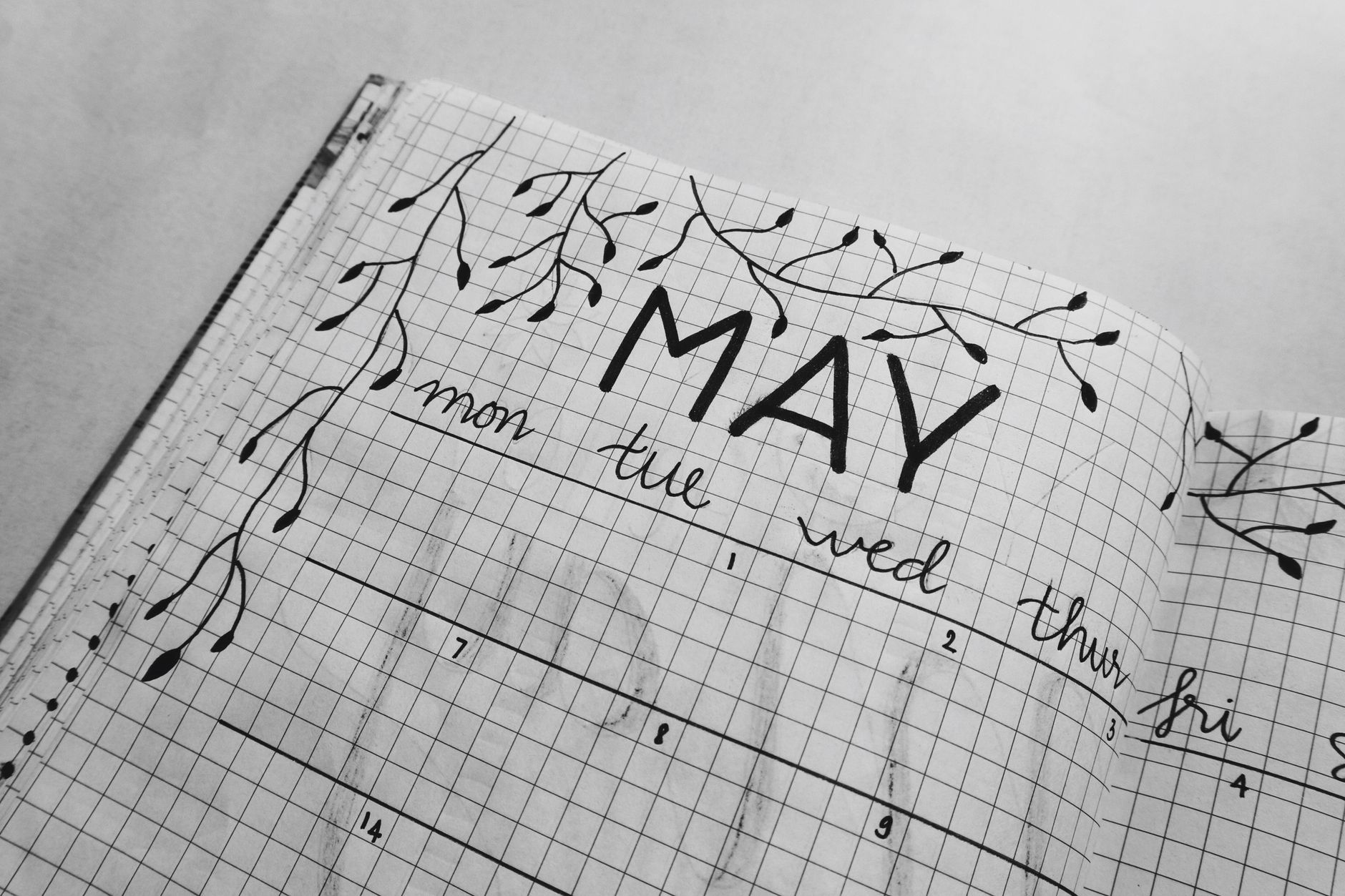
Before diving into weekly spreads, you need a command center for the entire year. My favorite annual overview uses a simple two-page spread with a calendar grid. I create 12 boxes, one for each month, each measuring 5.5cm x 5.5cm on my A5 Leuchtturm1917 pages. Inside each box, I use a fine liner—my go-to is the Pigma Micron 05 in black—to mark important dates: birthdays, vacations, and major deadlines. The key here is color-coding. I use my Tombow Dual Brush pens in a limited palette (N75, 373, 626) to assign a color to each life area: blue for work, green for personal, pink for family. This visual system lets me see the rhythm of my year in under 10 seconds.
I once tried a more artistic annual spread with elaborate lettering and illustrations for each month. It looked beautiful, but it was utterly useless for quick reference because the important dates got lost in the decoration. The minimalist grid is the clear winner for functionality. To add a proactive element, I reserve a small section at the bottom of the second page for “2026 Goals.” I limit myself to three big, overarching goals for the year. This forces me to focus on what truly matters and connects my daily actions back to my annual vision.
This forces me to focus on what truly matters and connects my daily actions back to my annual vision.
The Weekly Priority Matrix: Eisenhower Meets Bullet Journaling
This is the layout that transformed my productivity. Based on the Eisenhower Matrix, it helps you distinguish between what's urgent and what's important. I divide a two-page spread into four quadrants. Each quadrant is roughly 7.5cm x 10cm. The top of the page is labeled “Important,” the bottom is “Not Important.” The left side is “Urgent,” the right side is “Not Urgent.” This creates four boxes: Urgent/Important, Not Urgent/Important, Urgent/Not Important, and Not Urgent/Not Important.
Every Sunday evening, I spend about 15 minutes brain-dumping all my tasks for the upcoming week into the appropriate quadrant. The goal is to spend most of your time in the “Not Urgent/Important” quadrant—this is where strategic planning and deep work live. I use my Micron 05 for writing tasks and a Tombow Dual Brush pen in a light gray (N75) to shade the “Not Urgent/Not Important” quadrant as a visual reminder to minimize or delegate those tasks. This layout forces you to be intentional, preventing you from just reacting to the loudest demands of the day.
The Mental Clarity Brain Dump Spread
When your mind feels like a browser with 50 tabs open, you need a brain dump. This is a dedicated, non-judgmental space to empty your head. I create a simple spread with the title “Brain Dump” at the top. I don't use any predefined boxes or sections—it's just open space. I set a timer for 5 minutes and write down every single thought, task, worry, and idea using a smooth-writing pen like a Pilot G2. The key is speed and no filtering.
After the timer goes off, I walk away for at least an hour. When I return, I go through the list with my Micron 05 and a highlighter. I assign each item a category: Action (A), Reference (R), or Discard (D). Actions get migrated to my weekly matrix. Reference items (like a book recommendation) go into a dedicated collections page. Discard items are literally just thoughts I needed to get out but don't need to act on. This 10-minute practice is incredibly effective at reducing anxiety and creating mental space.
The Habit & Mood Correlation Tracker
Simple habit trackers are great, but a correlation tracker reveals the powerful connections between your actions and your well-being. This layout has two main parts. On the left page, I draw a vertical list of habits I want to track (e.g., 7 hours of sleep, 30-min walk, no phone after 9 PM). Across the top, I write the dates of the month. Each day, I fill in the box if I completed the habit, using a color code. On the right page, I create a simple mood tracker, rating my day on a scale of 1-5.
After a month, the patterns are undeniable. I once tracked for 30 days and discovered that on days I skipped my morning walk, my mood rating was consistently 2 points lower, even if I had a “productive” day otherwise. This data is gold. It moves you from guessing what makes you feel good to knowing it. I use mildliner highlighters for the habits and a Tombow Dual Brush pen in a gradient of five colors for the mood scale. Setting this up takes about 20 minutes at the start of the month, and logging each day takes less than 60 seconds.
Setting this up takes about 20 minutes at the start of the month, and logging each day takes less than 60 seconds.
The Weekly Time Blocking Layout
If your days tend to disappear into a black hole of meetings and distractions, time blocking is your answer. This layout turns your weekly spread into a visual schedule. I divide the page into 30-minute intervals from 7:00 AM to 9:00 PM for each day of the week. I use a ruler and my Micron 05 to create clean lines. Then, I block out time for my non-negotiables first: deep work sessions, meetings, and personal time.
The trick I learned the hard way is to overestimate how long tasks will take. I used to block 60 minutes for a task that needed 90, which made me feel constantly behind. Now, I add a 25% buffer. I use different colors for different types of work—Tombow 553 for deep work, 673 for meetings, 026 for personal. Seeing my week visually mapped out reduces the cognitive load of deciding what to do next and protects my time for important work. This spread takes about 25 minutes to set up but saves hours of wasted time during the week.
The Gratitude and Wins Log
Productivity isn't just about output; it's also about well-being. A gratitude log is a common practice, but I've supercharged mine by adding a “Wins” section. On the right page of my weekly spread, I create two columns. The left is for “Today's Gratitude” and the right is for “Today's Win.” Every evening, I spend two minutes filling it in.
The gratitude side is for small moments of joy—a good cup of coffee, a nice conversation. The wins side is for accomplishments, no matter how small. Finished a report? That's a win. Finally cleared your inbox? That's a win. This practice, which takes less than 10 minutes a week total, actively trains your brain to focus on progress and positivity, which is a huge boost for mental clarity and motivation. I use a metallic Gelly Roll pen for the wins to make them sparkle a little—a small touch that makes the practice feel special.
Rapid Logging for Daily Tasks
At its core, bullet journaling is about rapid logging. This is your daily workhorse. Instead of pre-drawing a complex layout for each day, I simply write the date at the top of a new page each morning. Then, I quickly list my tasks, events, and notes using the classic bullet journal symbols: a dot (•) for a task, a circle (O) for an event, and a dash (–) for a note.
The power is in the migration. At the end of the day, I review the list. Completed tasks get an X. Tasks that are no longer relevant get a strikethrough. Tasks that still need doing are migrated to the next day's list with a > symbol. This daily 5-minute review ensures nothing falls through the cracks and that my task list always reflects my current priorities. It’s the simple, flexible foundation that makes all the other fancy layouts possible.
Adapting These Layouts for You
The beauty of the bullet journal is its flexibility. Maybe you're a student and the weekly matrix needs to be adjusted for class schedules. Perhaps you're a parent and your time blocking needs to account for school runs. Don't be afraid to tweak these layouts. The measurements I've given are for an A5 notebook, but they can be scaled for A4 or pocket-sized journals. The key is to start with one new layout—probably the Brain Dump or the Weekly Priority Matrix—and use it for a couple of weeks. See how it feels. Does it reduce stress? Does it help you get the right things done? Your bullet journal should work for you, not the other way around.
Ready to make 2026 your most organized and clear-headed year yet? Pick one layout from this list that addresses your biggest pain point. Gather your favorite notebook, a Micron 05 pen, and one or two Tombow markers. Block out 30 minutes this Sunday to set it up. Remember, the goal is progress, not perfection. Your first version doesn't have to be beautiful; it just has to be functional. I promise, the act of intentionally designing your planning system is the first step toward the productivity and mental clarity you're seeking. I'd love to see what you create—share your spreads with our community using #BJClarity2026!
Sources & further reading
FAQ
I'm a beginner. Which layout should I start with?
Start with the Rapid Logging method for your daily tasks. It's the fundamental skill of bullet journaling and requires no artistic ability. Just write the date and list your tasks with dots. Once you're comfortable with that for a week, add the Brain Dump spread to help clear your mind. Mastering these two basics will give you a solid foundation before incorporating more complex layouts like the Priority Matrix.
What if I don't have Tombow or Micron pens?
No problem! Use what you have. Any fine-liner pen (like a Staedtler or even a sharp pencil) will work for writing and drawing lines. For color, Crayola Super Tips markers are a fantastic and affordable alternative to Tombows. A pack of 50 costs less than $15 and offers a huge range of colors. The tool matters less than the consistent practice of using your journal.
How do I avoid spending more time setting up my journal than using it?
This is a common fear. Set a time limit for your weekly setup. I give myself 30 minutes every Sunday. Use a simple ruler instead of trying to draw perfect freehand lines. Stick to a minimal color scheme of 2-3 colors to speed up decision-making. Remember, the most productive bullet journal is the one you actually use, not the one that took four hours to illustrate.
Small changes, real momentum
Get practical guides and templates you'll actually use — a few thoughtful emails a month.
Related Posts




Related Posts
Your Weekly Dose of Inspiration
Journaling ideas, family tips, and gentle inspiration.
Love this content?
Join the BulletJournals.net community for exclusive tips, guides, and updates.
Subscribe Free