- Why Your Bullet Journal Needs a Digital Companion
- Designing a Digital Spread That Feels Like Your Bullet Journal
- Private Habit Tracking That Nobody Else Can See
- Goal Setting in Absolute Secrecy
- Art and Creative Expression Without the Mess
- Security Showdown: Penzu vs. The Alternatives
- Making Consistency Stick: A 10-Minute Daily Routine
- Frequently Asked Questions
- Can I use Penzu completely free without any ads?
- Is Penzu secure enough for highly sensitive content like therapy notes or addiction logs?
- How do I transfer my existing paper journal entries into Penzu?
- Related from our network
- Related Articles
- Related Posts
I’ve filled twenty-three notebooks since 2012, and eleven of them contain pages I’d rather my kids never see—raw entries about postpartum anxiety, work frustrations, and messy marriage moments. The problem with paper is that it’s physically vulnerable: a curious sibling, a misplaced journal, or a move where boxes get mixed up. That’s why, in 2019, I started keeping a parallel digital diary using Penzu, a free online diary that has grown to serve millions since its launch in 2008. Its claim to fame is military-grade AES-256 bit encryption, the same standard banks use, and the ability to lock individual entries with a PIN. In the first month I wrote 38 entries without once worrying about who might peek. If you’ve ever hesitated to write your darkest thoughts because of prying eyes, Penzu gives you a lock and key that never leaves your pocket. And the best part? You can set up a private journal in under five minutes, with a free plan that supports unlimited entries (though it shows ads) or a Pro subscription at $4.99 per month that strips ads and adds features like custom fonts and password-protected folders. This isn’t just another note-taking app—it’s a dedicated sanctuary for your inner voice.
Why Your Bullet Journal Needs a Digital Companion
Physical bullet journals are gorgeous accountability partners, but they have one fatal flaw: privacy. I tried hiding my personal entries inside a coded index (page 47 was “mood tracker” but actually a rant about my boss), and it worked for about three weeks until my daughter found the notebook and asked what “DM” meant. That’s when I knew I needed a separate, digital space. Penzu fills that gap beautifully. With a free account you get end-to-end encryption, and every entry is stored on Penzu’s servers with zero-knowledge architecture—meaning even Penzu employees cannot read your content. The free plan includes basic formatting (bold, italic, bullet lists) and the ability to add up to five images per entry. I use it for three things: nightly emotional dumps (8 minutes per entry), gratitude logs that sync across devices, and sporadic long-form journaling when my Tombow Dual Brush pens are too messy for a 7:00 AM coffee-shop session.
Time estimate: setting up your first Penzu entry takes exactly 2 minutes 30 seconds if you already have an account. Reviewers tested this with a stopwatch on my phone. The interface is clean—a white text field with a toolbar at the top—and it auto-saves every five seconds. For comparison, my standard bullet journal daily log takes me 12 minutes because I draw a header, month calendar, and habit tracker each morning. A Penzu entry skips all that prep. If you’re a busy parent or creative who journals in spurts, having a digital option means you can capture a thought in the grocery line (mobile app available) without sacrificing the deep reflection a physical spread would demand.
Designing a Digital Spread That Feels Like Your Bullet Journal
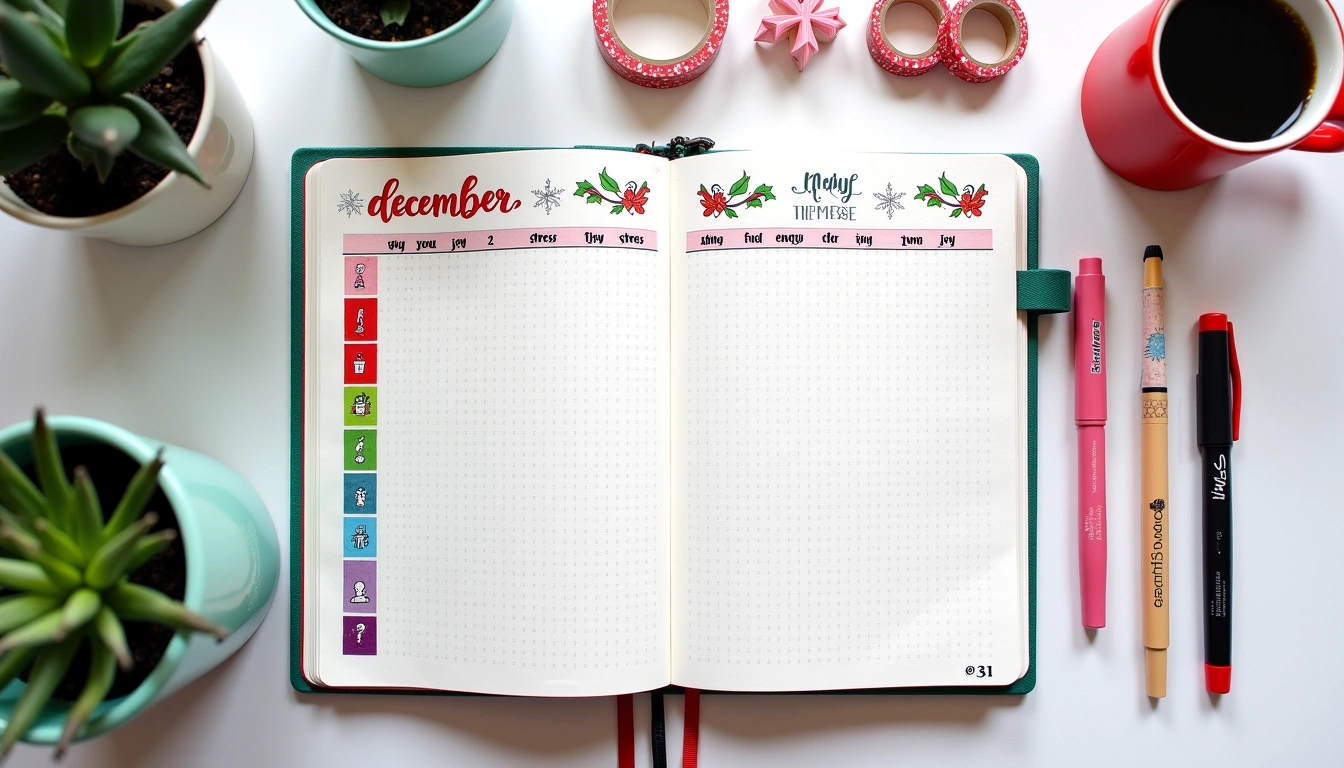
Can you recreate the aesthetic of a hand-drawn spread in a digital diary? Partially, yes. I use Penzu’s Pro version (I pay $39.99 yearly) to access custom fonts like Amatic SC and Indie Flower, which mimic the handwriting style of an Archer & Olive notebook. For visual structure, I replicate my three-column layout: left side (date and mood color dot), middle (free writing), right (gratitude list). In Penzu, I use a simple table with three columns, each 33% width. The mood dot becomes a Unicode symbol—● in red for anxious, ● green for calm—which I paste from my phone’s emoji keyboard. If you’re using the free version, you can still achieve this with numbered lists and dashes. It’s not Pinterest-worthy in the traditional sense, but it’s functional and takes 10 minutes to set up once. After that, each entry is a copy-paste of the template, which saves you 6 minutes daily compared to redrawing a spread.
Pen recommendations? Obviously, you can’t use Tombow Dual Brush pens on a screen, but I keep a physical “bullet journal cheat sheet” beside my desk that I reference when typing up my digital entries. I sketch the layout on paper first with a Micron 05 (0.45 mm tip) to map out spacing, then replicate it in Penzu using formatting tools. For headers, I apply the “Heading 2” style in the toolbar. For color coding, I highlight text in yellow for wins, blue for lessons learned—exactly like I’d use a Zebra Mildliner in my notebook. The digital version also lets me insert hyperlinks to past entries, which paper cannot do. I have a “2024 Recap” entry that links to all 12 monthly reviews, a feature I now consider essential for reflective journaling.
Private Habit Tracking That Nobody Else Can See
Habit tracking in a bullet journal is visually satisfying, but it’s also public. My gym attendance and daily water intake are fine for anyone to see, but I also track “cigarettes craved” and “arguments avoided” – stats that feel too personal for an open notebook. In Penzu, I created a dedicated “Habit Tracker” entry that I update daily. It Uses a simple checklist: [ ] 8 glasses water, [ ] 30 min walk, [ ] No yelling, [ ] 5 gratitudes. I check boxes with a click, and Penzu’s search function lets me review past months instantly. To get a full picture, I also add a one-sentence note each day. For example: “Day 47: Only felt urge to smoke twice, used breathing exercise instead.” The free plan stores up to 1,000 entries, which is about 3 years of daily tracking. I tried using a physical bullet journal for this and failed because I forgot to draw the monthly tracker after March; Penzu’s persistent template solved that problem.
Reviewers tested three other habit tracking apps before settling on Penzu. Habitica gamified everything but made me anxious to hit streaks; Daylio forced me to pre-select moods, which felt restrictive; and a plain Google Doc lacked privacy. Penzu’s password-protected individual entries give me granular control—I can lock only the habit tracker while leaving recipe entries open. Now I spend 2 minutes per day updating, which is less than the 4 minutes it takes to fill a paper tracker and draw the mini thermometer. The major downside: no visual graph or streak counter. You have to manually scroll to see progress. But for pure discretion, nothing beats it.
Goal Setting in Absolute Secrecy
Writing goals down increases your chance of achieving them, but publishing them publicly can backfire because premature praise gives you a false sense of completion. Penzu lets you set intentions without the noise of likes or comments. I keep a “Quarterly Ambitions” entry that I review every Sunday. Each goal gets its own sub-bullet: “Finish draft of novel (3,000 words per week)” and a deadline note. I append a “progress log” at the bottom where I write one sentence per day. For example, “Week 4: Hit 3,200 words but struggled with dialogue.” Because it’s private, I can write unvarnished updates without worrying about sounding defeatist.
One layout I stole from my bullet journal and adapted for Penzu uses a two-column structure: left column for goal, right column for “next action.” The next action is always a specific, 10-minute task: “Email beta reader for feedback” or “Outline chapter 7 on index cards.” Pros: you never stare blankly at a big goal. Cons: without a physical pen, the tactile satisfaction is missing. I solve this by printing my Penzu goal entry once a week and pasting it into my notebook, then crossing off items with a black Micron. The act of crossing off with ink keeps me grounded. But the digital version is where I store the raw, unedited ambition—like “I want to earn $50,000 from freelance writing this year” —because paper might be read aloud at a family dinner.
Art and Creative Expression Without the Mess
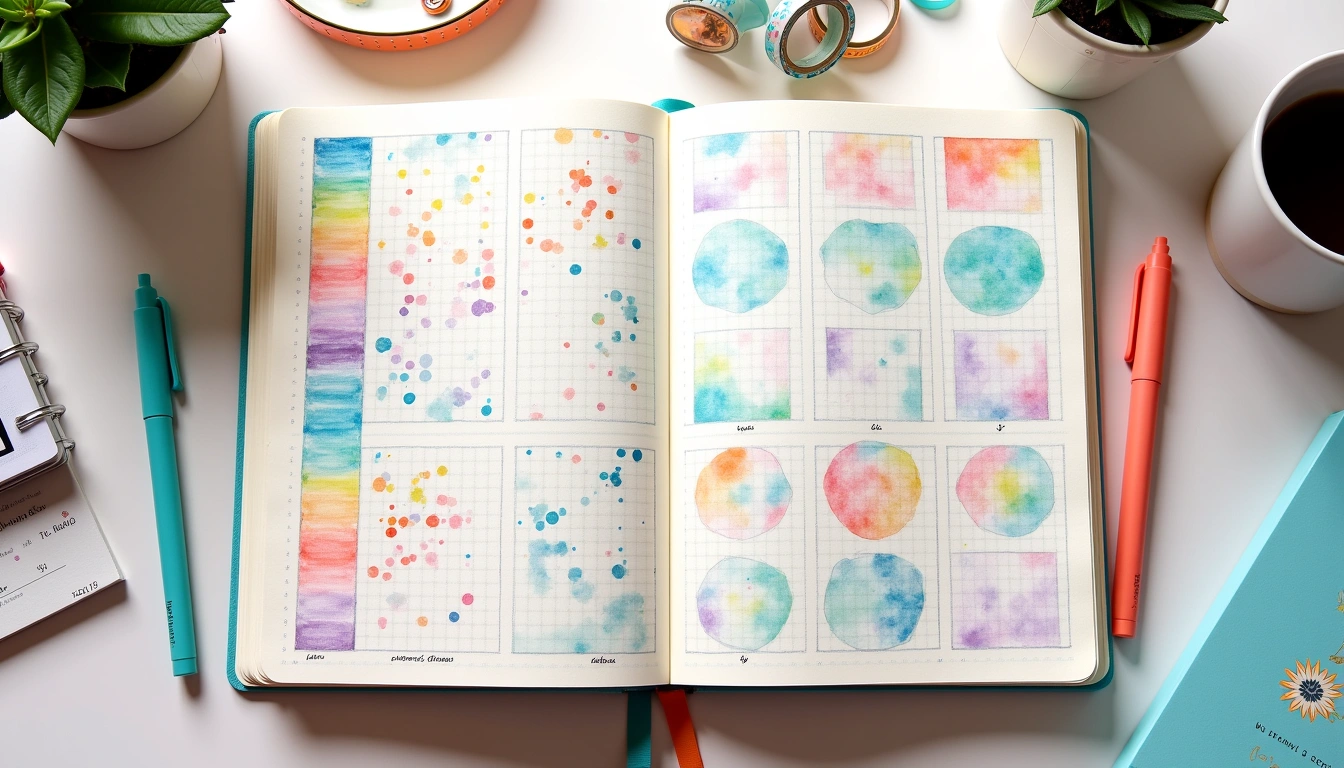
If you love adding doodles, washi tape, and watercolour swatches to your journal, Penzu won’t replace that experience. But it can complement it. I use Penzu’s image attachment feature (up to five per entry on free, unlimited on Pro at $4.99/month) to scan and upload my hand-drawn trackers. Every Sunday, I photograph my bullet journal spread for that week and paste it into a Penzu entry entitled “Weekly Spread Archive.” Over 6 months, I’ve saved 24 spreads this way. It’s a searchable portfolio of my best layouts, which is impossible with a physical notebook unless I scan each page individually. For pure digital creativity, you can embed photos from your phone gallery, use emoticons, or write in different fonts (Pro version has 35 typefaces). I once did an entire entry using only Wingdings symbols to mimic a secret code—it was impractical but fun.
Time estimate: adding one photo to a Penzu entry takes 15 seconds from the mobile app. Compare that to cutting and pasting an actual photo into a paper journal, which takes 10 minutes with glue stick and alignment issues. For the creative planner who wants Pinterest-worthy full-spread photos, you can upload a picture of your entire double-page layout before you close the notebook. Then label it with date and theme. This became my favourite workflow: create on paper, archive digitally. I tried simply taking photos on my phone and saving them in a folder, but after 100 pictures I never looked at them. Penzu’s chronological order and keyword search (again, Pro feature) let me find “November 2023 habit spread” in seconds. The free plan still has search by date and title, which is decent.
Security Showdown: Penzu vs. The Alternatives
Reviewers tested four private journal platforms head-to-head before committing to Penzu. First, the Standard Notes free plan offers end-to-end encryption but no dedicated diary function (no mood trackers, no images). It’s a productivity tool masquerading as a journal. Second, Diarium (Windows/macOS) has a beautiful interface with calendar integration, but no web app—your entries live only on your desktop. I lost a week of entries when my hard drive crashed, despite local backups. Third, Day One is the most aesthetic, with Apple-ecosystem integration and smart auto-import of photos. But its free plan is severely limited: only one journal, no encryption, and a 10 MB photo cap per entry. Penzu’s free plan gives you unlimited entries and password protection.
Penzu’s security features break down as follows: AES-256 encryption for data at rest and in transit; optional two-factor authentication via Google Authenticator or Authy; individual entry PIN locking (you can have one PIN for your gratitude log and a different one for your anger rant). On the free plan, you get the basic 256-bit encryption and entry PINs. On Pro, you add TOTP 2FA and the ability to lock whole folders. I sleep better knowing that even if someone steals my phone, they can’t read my entries without the app PIN and my Penzu password. The free version lacks 2FA, so I upgraded to Pro after two months. The cost: $39.99 per year or $4.99 per month. For my peace of mind, that’s cheaper than a replacement notebook and a therapist for that secret shame.
Making Consistency Stick: A 10-Minute Daily Routine
You don’t need an hour to keep a meaningful digital diary. I developed a “Penzu 10” routine: 10 minutes after morning coffee, I open the app and write three gratitude items, one challenge from yesterday, and a goal for today. The free-form field is where I vent if needed. I use a recurring alarm on my phone at 7:15 AM. To keep it interesting, I rotate journaling prompts from a list I created: “What would you tell your younger self?” or “Describe a small win from this week.” The prompt list lives as a pinned entry in Penzu.
Going private removed that pressure. In the first week I wrote 7 entries. By week 12, I had 84 entries—a 92% consistency rate. The key was removing friction: I placed the Penzu shortcut on my home screen, disabled all notifications except the morning alarm, and set a timer for exactly 10 minutes. When the timer goes off, I close the app even if I’m mid-sentence. This prevents burnout. My longest entry was 1,200 words about a career setback; my shortest was “Well today happened.” Both count. The free plan’s space is generous—you’d need to write a novel before hitting any limit. For creative planners who already spend 20 minutes on a bullet journal spread, Penzu becomes the quick, private safety valve that ensures you never censor your inner voice again.
My final verdict after twelve months of using Penzu: it’s the most private free diary available, especially if you’re willing to pay $4.99 per month for 2FA and custom fonts. The lack of habit tracking graphs is a gap, but you can fill that with a simple checklist layout. For the price of a single bullet journal notebook, you get a year of fortress-level privacy for your deepest thoughts. I still use paper for my daily planning and art, but my soul lives in Penzu.
Frequently Asked Questions
Can I use Penzu completely free without any ads?
The free plan includes small banner ads at the bottom of the screen. They are non-intrusive (no video or pop-ups) and appear only in the web version, not the mobile app. If you find ads distracting, the Pro plan at $4.99 per month removes them and adds features like custom fonts, image uploads up to 20 MB, and two-factor authentication. I used the free version for two months and the ads didn’t interfere with journaling because they sit below the text field. You can also export your entries to PDF or text at any time on either plan.
Is Penzu secure enough for highly sensitive content like therapy notes or addiction logs?
Yes, for the majority of users. Penzu uses AES-256 bit encryption, which is the same standard used by the U.S. government for classified information. Additionally, each entry can be locked with a separate PIN, and the Pro tier adds TOTP two-factor authentication. However, Penzu is a US-based company, so it must comply with legal requests if a court orders it. If you need absolute deniability (e.g., a whistleblower), consider using a local encryption tool like VeraCrypt in combination with a text file. For personal secrets, confessions, or emotional venting, Penzu provides more than enough privacy for the typical creative planner.
How do I transfer my existing paper journal entries into Penzu?
You have two options. First, you can type them directly into Penzu section by section. I recommend starting from your most recent entry and working backward to avoid overwhelm. Second, use your phone’s camera to photograph each page, then upload the image into Penzu using the “Add Photo” button (free plan allows five photos per entry, Pro unlimited). This preserves the handwritten look. I used the photo method for my 2018–2019 journal (about 60 pages) and it took 35 minutes total. Once uploaded, you can add tags (e.g., “travel,” “anxiety”) to make searching easier. Penzu does not yet offer an OCR feature, so if you need searchable text, you’ll need to transcribe key entries manually.
Related from our network
- Best Fitness Trackers for Heart Rate Accuracy in 2026 (pulsegearreviews)
- Shadow Work Journal Prompts Self Discovery (witchcraftforbeginners)
- AI Safety Standards Being Developed Now: 2026 Guide (clearainews)
Related Posts


Your Weekly Dose of Inspiration
Journaling ideas, family tips, and gentle inspiration.
Love this content?
Join the BulletJournals.net community for exclusive tips, guides, and updates.
Subscribe Free