- In This Article
- Key Takeaways
- 1. The Year-at-a-Glance Overview (A 2026 Roadmap)
- Supplies & Measurements
- 2. The Monthly Mood Tracker (Your Emotional Weather Report)
- Design & Layout
- 3. The Habit Tracker (Simple, Not Simplistic)
- Layout & Measurements
- 4. The Goal Setting Spread (SMART Goals, Beautifully Designed)
- Layout & Structure
- 5. The Weekly Spread (Your Command Center)
- Layout & Measurements
- 6. The Expense Tracker (No Spreadsheet Required)
- Layout & Categories
- 7. The Reading Log (For Book Lovers)
- Layout & Details
- 8. The Fitness Tracker (Beyond the Scale)
- Layout & Metrics
- 9. The Gratitude Log (A Simple Joy)
- Layout & Practice
- 10. The Monthly Review (Your Personal Board Meeting)
- Layout & Prompts
- Sources & further reading
- Frequently Asked Questions
- How do I download the free templates?
- Can I use these templates in a digital bullet journal?
- Do I need expensive supplies to use these templates?
- How often should I set up these layouts?
- What if I miss a day in my tracker?
- Related Posts
Ready to make 2026 your most organized, creative year yet? I've filled over 20 bullet journals, and I can tell you that a simple, well-designed layout makes all the difference. Forget spending hours on Pinterest trying to reverse-engineer a perfect spread. I'm sharing ten free, printable 2026 bullet journal layout templates that are both beautiful and functional. Each one comes with exact measurements, my favorite pen recommendations, and a realistic time estimate. No perfectionism pressure here — just practical, actionable designs that will help you track your goals, habits, and memories all year long. Let's get planning!
Disclosure: This post contains affiliate links. If you click through and make a purchase, we may earn a small commission at no extra cost to you. Thank you for supporting this site!
13 min read
In This Article
- 1. The Year-at-a-Glance Overview (A 2026 Roadmap)
- 2. The Monthly Mood Tracker (Your Emotional Weather Report)
- 3. The Habit Tracker (Simple, Not Simplistic)
- 4. The Goal Setting Spread (SMART Goals, Beautifully Designed)
- 5. The Weekly Spread (Your Command Center)
- 6. The Expense Tracker (No Spreadsheet Required)
- 7. The Reading Log (For Book Lovers)
- 8. The Fitness Tracker (Beyond the Scale)
- 9. The Gratitude Log (A Simple Joy)
- 10. The Monthly Review (Your Personal Board Meeting)
- Frequently Asked Questions
Key Takeaways
- 1. The Year-at-a-Glance Overview (A 2026 Roadmap)
- 2. The Monthly Mood Tracker (Your Emotional Weather Report)
- 3. The Habit Tracker (Simple, Not Simplistic)
- 4. The Goal Setting Spread (SMART Goals, Beautifully Designed)
1. The Year-at-a-Glance Overview (A 2026 Roadmap)
This is your big-picture spread, the one you'll refer back to all year. It's not just a calendar; it's a strategic overview. I use a simple grid layout that shows all 12 months on a single page. The key is keeping it clean so you can spot patterns and plan ahead without feeling overwhelmed.

Supplies & Measurements
- notebook: A standard A5 dot grid (148mm x 210mm). My go-to is the Leuchtturm1917 (about $25) or the more budget-friendly Scribbles That Matter (about $20).
- Pen: Sakura Pigma Micron 05 (0.45mm) in black, about $4. It's waterproof and doesn't bleed.
- Ruler: A clear 15cm ruler is perfect for this.
- Time estimate: 20-25 minutes for the initial setup.
Divide your page into a 4×3 grid. Each box should be about 35mm wide and 45mm tall. I learned the hard way that making the boxes too small is a disaster — you can't fit in important dates. Leave a 5mm margin around the edges. Inside each box, write the month name at the top in a small, neat script. Then, use the remaining space to note major events, birthdays, or deadlines. I use a single color for the whole spread to keep it visually calm. When I first tried using multiple colors, it looked like a rainbow exploded. Stick to one or two colors for the structure, then add accent colors later if you want.
This layout is your control tower. It helps you see the year's rhythm — busy months vs. slower ones — so you can plan your energy accordingly. For 2026, note key dates like New Year's Day (Jan 1), Easter (April 5), and any personal milestones. The goal is not to fill every box, but to have a clear, at-a-glance reference.
The goal is not to fill every box, but to have a clear, at-a-glance reference.
2. The Monthly Mood Tracker (Your Emotional Weather Report)
Tracking your mood over a month can reveal powerful patterns. This isn't about being happy all the time; it's about understanding your emotional landscape. I designed a simple, non-judgmental tracker that takes just 10 seconds a day. The key is simplicity — if it's too complicated, you'll abandon it by February.
Design & Layout
- Grid size: 35mm x 35mm per day, arranged in a 7-column, 5-row calendar grid for the month.
- Color key: I use four Tombow Dual Brush Pens (about $6 each) in muted tones: a soft pink for “great,” a light blue for “good,” a pale yellow for “okay,” and a gray for “tough.”
- Time estimate: 15 minutes to set up the grid and key at the start of the month, then 10 seconds per day to color the box.
Too much decision fatigue. A simple four-color system is all you need. At the end of each day, color the corresponding box. Don't overthink it — just pick the color that feels right. Over time, you'll see patterns. For me, I noticed that my “tough” days often followed a late night. That insight was a game-changer. This tracker is not about achieving a string of pink boxes; it's about noticing trends and being kind to yourself. For 2026, I'm adding a small space next to each day to jot down one word about what happened. This adds context without adding time.
3. The Habit Tracker (Simple, Not Simplistic)
Habit trackers are a bullet journal staple, but most people design them too ambitiously. I've seen spreads with 20 habits, and they never last. The secret is to start small and be specific. My free template focuses on just 6 core habits for the entire year. This is a marathon, not a sprint.

Layout & Measurements
- Grid size: A single page, with 6 rows (one per habit) and 31 columns (one per day). Each cell should be 8mm x 8mm.
- Habit selection: Choose habits that are measurable and realistic. For example: “Drink 8 glasses of water,” “Walk 10,000 steps,” “Read for 20 minutes,” “No social media before 10am,” “Meditate for 5 minutes,” “Write in journal.”
- Pen: I use a Tombow Dual Brush in a single accent color (like a soft green) to fill in the squares. The Micron 05 for the grid lines.
- Time estimate: 30 minutes to set up the entire year's grid. Then 1 minute per day to fill in.
Don't try to track “eat healthy” — it's too vague. Instead, track “eat one serving of vegetables at dinner.” The more specific, the better. I made the mistake of tracking “exercise” for three months and it was a mess. Did a 10-minute walk count? A yoga session? Now I track “30 minutes of movement,” and it's Crystals clear. This year, I'm also adding a monthly review column where I can write a quick note about what worked and what didn't. This turns the tracker from a simple checkbox into a learning tool. The free template includes a pre-printed grid for all 12 months, so you only have to set it up once.
The free template includes a pre-printed grid for all 12 months, so you only have to set it up once.
4. The Goal Setting Spread (SMART Goals, Beautifully Designed)
Setting goals is easy. Actually achieving them is hard. This layout is designed to bridge that gap. It's not just a list of wishes; it's a structured plan that breaks down big dreams into actionable steps. The template includes sections for the goal itself, the “why” behind it, measurable steps, and a timeline.
Layout & Structure
- Page setup: A two-page spread. The left page is for your top 3 goals for the year. The right page is for the quarterly breakdown.
- Left page: For each goal, leave a space about 40mm x 60mm. Write the goal at the top. Below that, write your “why” in a single sentence. Then list 3-5 key milestones.
- Right page: Divide into 4 quadrants, one for each quarter of 2026. In each quadrant, write the specific actions you'll take that quarter to move toward your goals.
- Pen: I use a combination of Micron 05 for structure and a Tombow Dual Brush in a bold color (like a deep blue) for the goal titles.
- Time estimate: 45 minutes to an hour for thoughtful setup.
I learned this approach from James Clear's “Atomic Habits” — focus on systems, not goals. The quarterly breakdown is your system. For example, if your goal is “Write a novel,” your Q1 action might be “Outline the plot.” Your Q2 action might be “Write 500 words per day.” This makes a huge goal feel manageable. The free template includes prompts for each section so you don't have to think about the structure. Just fill in the blanks. This spread is your north star for the entire year. Refer back to it every month to check your progress.
5. The Weekly Spread (Your Command Center)
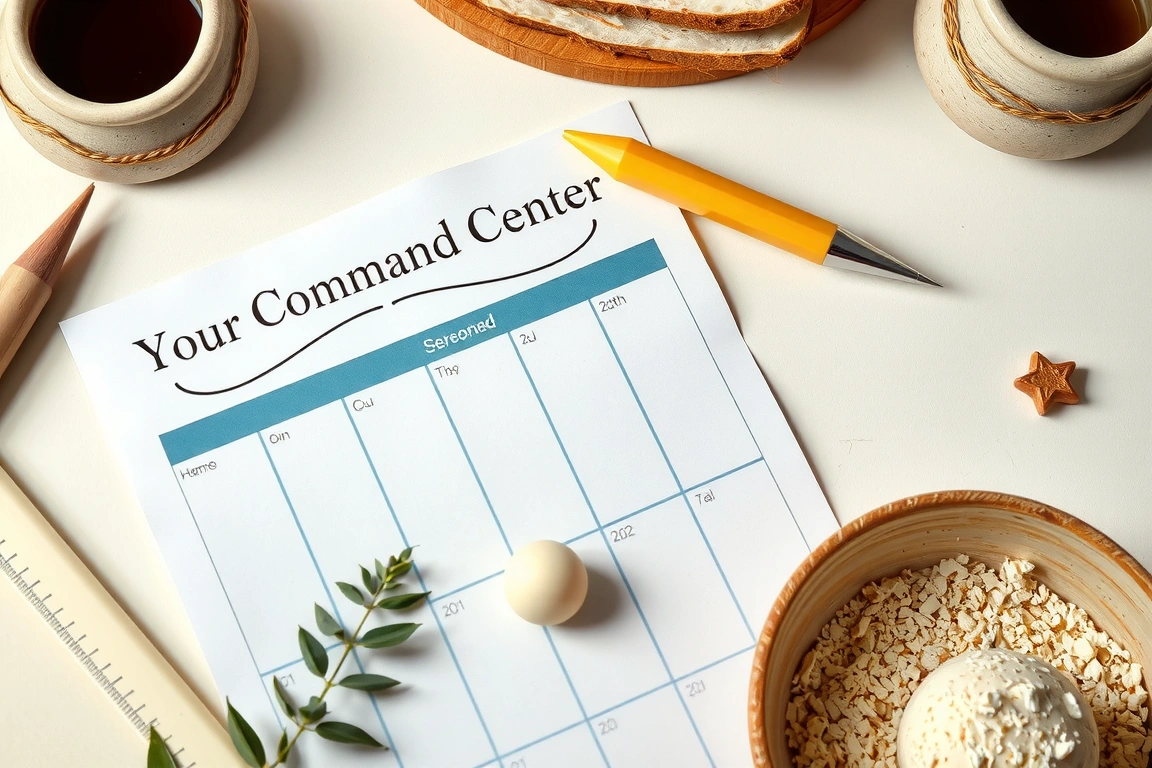
The weekly spread is the workhorse of your bullet journal. It's where your plans meet reality. My free template is designed for maximum flexibility. It's not a rigid hourly schedule; it's a flexible framework that can handle the chaos of real life. The key is leaving white space for unexpected tasks and notes.
Layout & Measurements
- Page setup: A two-page spread. The left page is for the week's schedule and tasks. The right page is for notes, meal planning, or a brain dump.
- Left page: Divide into 7 rows (one per day) and 2 columns. The left column (20mm wide) is for the date. The right column (remaining space) is for tasks. Each day row should be about 25mm tall.
- Right page: Leave it mostly blank, with a small section at the top for “This Week's Focus” (one sentence) and the rest as free space.
- Pen: I use a Micron 05 for the structure and a Pilot G2 0.7mm (about $3) for daily tasks. The G2 is smooth and doesn't smudge.
- Time estimate: 15 minutes to set up the weekly spread. Then 5 minutes each evening to plan the next day.
I used to create hourly schedules, but they always fell apart by Tuesday. Life is too unpredictable. This layout trusts you to know what's important. The right page is a lifesaver — it's where I dump random thoughts, grocery lists, and ideas without cluttering my task list. For 2026, I'm adding a small “gratitude” section at the bottom of the right page. Just one thing I'm grateful for each week. It takes 10 seconds and shifts my perspective. The free template includes a pre-drawn grid for each week of the year, so you can print them all at once and just fill in the dates.
The free template includes a pre-drawn grid for each week of the year, so you can print them all at once and just fill in the dates.
6. The Expense Tracker (No Spreadsheet Required)
Tracking your spending doesn't have to be a chore. This layout turns it into a simple, visual habit. It's not a detailed budget; it's a quick way to see where your money is going. The goal is awareness, not restriction. I found that just seeing my spending patterns made me naturally more mindful.
Layout & Categories
- Page setup: A single page per month. Divide it into 5-6 categories that match your lifestyle. Common ones: Groceries, Dining Out, Transportation, Entertainment, Bills, and “Other.”
- Grid size: For each category, create a row with three columns: Category name (20mm wide), a line for each expense (40mm wide), and a total at the end (20mm wide).
- Pen: Micron 05 for structure. I use a different colored Tombow Dual Brush for each category to make it visually distinct.
- Time estimate: 10 minutes to set up the month. Then 2 minutes per day to log expenses.
I tried using a detailed spreadsheet for years, but I always fell off after a week. The problem was friction — it took too long. This layout is fast. Just write the amount and a brief description. At the end of the month, add up the totals. The free template includes a pre-printed grid for each month, so you just fill in the numbers. For 2026, I'm adding a small “savings goal” section at the bottom of the page. It's a visual reminder of why I'm tracking. Seeing that number grow is incredibly motivating.
7. The Reading Log (For Book Lovers)
If you love to read, this layout is a must. It's a simple, elegant way to track the books you read throughout 2026. It's not just a list; it's a memory keeper. I include a small space for a rating and a one-sentence review. Years later, I love looking back and remembering what I thought of a book.

Layout & Details
- Page setup: A two-page spread for the entire year. Each page has 15 rows, for a total of 30 books. You can always add more pages if you're a voracious reader.
- Columns: Five columns: Title (30mm), Author (20mm), Date Finished (15mm), Rating (10mm, out of 5 stars), and Notes (remaining space).
- Pen: Micron 05 for structure. I use a Tombow Dual Brush in a soft color to fill in the stars for my rating.
- Time estimate: 15 minutes to set up the entire year. Then 2 minutes per book to fill in.
I used to track books on Goodreads, but there's something special about seeing them in my own handwriting. The one-sentence review is key — it forces me to articulate what I thought. For 2026, I'm also adding a small section at the top for “Books to Read Next” — a running list of recommendations from friends and podcasts. This keeps me from ever being stuck without something to read. The free template includes a pre-printed grid for up to 60 books. It's perfect for the average reader.
The free template includes a pre-printed grid for up to 60 books.
8. The Fitness Tracker (Beyond the Scale)
Fitness is more than just weight. This layout tracks multiple aspects of your health: exercise, sleep, water intake, and how you feel. The goal is to see the connections between these factors. For example, you might notice that you sleep better on days you exercise, or that you feel more energetic when you drink enough water.
Layout & Metrics
- Page setup: A single page per week. Create four rows: Exercise (type and duration), Sleep (hours), Water (glasses), and Energy Level (1-5 scale).
- Grid size: Each row is about 25mm tall. The columns are the days of the week (Monday through Sunday), each about 20mm wide.
- Pen: Micron 05 for structure. I use a different colored Tombow Dual Brush for each row to make it easy to scan.
- Time estimate: 5 minutes to set up the week. Then 1 minute per day to fill in.
I used to only track exercise, but I was missing the bigger picture. Adding sleep and water intake showed me that my energy levels were directly tied to these factors. When I sleep 7+ hours and drink 8 glasses of water, my energy is consistently a 4 or 5. When I don't, it's a 2 or 3. This insight has been transformative. The free template includes a pre-printed grid for each week of the year. Just print, fill in, and start noticing patterns.
9. The Gratitude Log (A Simple Joy)
This is the simplest layout in the set, but it has the biggest impact on my mindset. It's a daily practice of writing down three things you're grateful for. The research is clear — gratitude improves happiness and reduces stress. This layout makes it a habit.
Layout & Practice
- Page setup: A single page per month. Divide it into 31 rows (one per day). Each row is about 10mm tall. Leave a small column for the date (10mm) and the rest for your three gratitudes.
- Pen: Any pen you enjoy writing with. I use a Pilot G2 0.7mm in blue. It's smooth and makes the act of writing feel pleasant.
- Time estimate: 2 minutes per day. That's it.
I used to skip this when I was busy, but I noticed my mood suffered. Now I do it right before bed, as a way to end the day on a positive note. The key is to be specific. Instead of “I'm grateful for my family,” write “I'm grateful that my daughter laughed at my joke today.” The specificity makes it more powerful. The free template includes a pre-printed grid for each month. Just fill in the date and your three gratitudes. It's a small habit that makes a big difference.
10. The Monthly Review (Your Personal Board Meeting)
This is the most important layout in the entire set. It's where you step back and reflect on the month. What worked? What didn't? What did you learn? This is how you turn experience into wisdom. Without this review, you're just collecting data. With it, you're growing.
Layout & Prompts
- Page setup: A single page per month. Divide it into four sections: “What went well,” “What could be better,” “What I learned,” and “My focus for next month.”
- Pen: Micron 05 for the section titles. I use a Tombow Dual Brush in a bold color for the “My focus” section to make it stand out.
- Time estimate: 15-20 minutes at the end of each month.
I used to skip this step, and I felt like I was running on a treadmill — lots of effort, no progress. Now, this monthly review is non-negotiable. It's where I celebrate my wins (even small ones), identify patterns, and adjust my course. For example, in January, I might notice that my habit of “reading for 20 minutes” isn't happening. I can then ask myself why and adjust. The free template includes the prompts printed on the page, so you just write your answers. This is the layout that turns your bullet journal from a planner into a tool for personal growth.
Small changes, real momentum
Get practical guides and templates you'll actually use — a few thoughtful emails a month.
Sources & further reading
- Plan International (plan-international.org)
- Plan (en.wikipedia.org)
Frequently Asked Questions
How do I download the free templates?
Click the download link at the top of this article. You'll receive a single PDF file containing all ten templates. The file is designed for A4 and A5 paper sizes. Each template is on its own page, so you can print just the ones you need. I recommend printing on 90gsm paper for a good balance of weight and flexibility. The file is about 5MB and will be delivered instantly to your email.
Can I use these templates in a digital bullet journal?
Absolutely! The PDF is designed to be imported into note-taking apps like Goodnotes, Notability, or OneNote. Each template is a single image, so you can easily add it as a page in your digital journal. I recommend using a stylus for the best experience. The grid lines are crisp and clear, so they look great on a tablet screen. The templates work perfectly for both digital and analog planners.
Do I need expensive supplies to use these templates?
Not at all. The templates are designed to work with any pen or pencil. The pen recommendations I shared are my personal favorites, but you can use whatever you have on hand. A standard ballpoint pen works just fine. The key is the layout, not the tools. If you want to add color, a basic set of colored pencils or markers will do the job. The templates are meant to be accessible to everyone, regardless of budget.
How often should I set up these layouts?
Most of the layouts are designed to be set up once and used for the entire year. The year-at-a-glance, habit tracker, reading log, and gratitude log are all one-time setups. The weekly spread and fitness tracker are set up on a weekly basis. The monthly mood tracker, expense tracker, and monthly review are monthly. This balance ensures you have a consistent framework without spending hours on setup. I recommend dedicating 30 minutes on the first day of each month to update the monthly spreads.
What if I miss a day in my tracker?
Don't worry about it. The whole point of these templates is to reduce pressure, not create it. If you miss a day, just leave it blank and move on. Do not try to backfill — it's not worth the time or stress. The goal is consistency over perfection. A tracker that's 80% complete is still incredibly useful. In fact, the gaps can be informative. If you notice you consistently miss tracking on weekends, that's a pattern worth noticing. Use that insight to adjust your approach, not to beat yourself up.
Related Posts

Your Weekly Dose of Inspiration
Journaling ideas, family tips, and gentle inspiration.
Love this content?
Join the BulletJournals.net community for exclusive tips, guides, and updates.
Subscribe Free