
- In This Article
- Key Takeaways
- The Power of the Brain Dump Spread
- The Rapid Logging Revolution
- The Future Log: Your Year at a Glance
- The Alastair Method for Task Management If you have a lot of recurring or multi-step tasks, the Alastair Method is a game-saver (see, I didn't say game-changer!). Instead of rewriting the same tasks every day or week, you list them once in a column on the left side of your weekly spread. Then, you create columns for each day of the week to the right. When you work on a task, you simply put a mark in its row under the corresponding day. I use a ruler and my gray Tombow N95 to create light, non-distracting lines for the grid. My task list goes in the first 5 cm column. The seven daily columns are each 2.5 cm wide. This creates a clean, functional layout that fits perfectly on an A5 page. I use a different colored fineliner (like a Staedtler Triplus Fineliner) for each day's marks. This creates a beautiful, instant visual of what I’ve accomplished over the week and what tasks consistently get ignored. It took me two failed weekly spreads with messy handwriting before I committed to using a ruler, but the clarity it provides is worth the extra 5 minutes of setup. The Habit & Mood Tracker Combo
- The Collections System for Deep Focus
- Your First Week Action Plan
- FAQ
- Related Articles
- Related Posts
- Related Posts
- Related Posts
- Related Posts
- Related Posts
- Related Posts
- Related Posts
- Related Posts
- Related Posts
- Related Posts
- Related Posts
- Related Posts
- Related Posts
- Related Posts
- Related Posts
- Related Posts
- Related Posts
- Related Posts
- Related Posts
Disclosure: This post contains affiliate links. If you click through and make a purchase, we may earn a small commission at no extra cost to you. Thank you for supporting this site!
Ever feel like your day is a blur of forgotten tasks, missed appointments, and mental clutter that just won't quit? You're not alone. I've filled over 20 journals trying to tame that exact chaos, and I've learned that a standard to-do list just doesn't cut it. The real magic happens when you use your Bullet Journal not just as a planner, but as a system for thinking. Forget the pressure of creating a perfect, artistic masterpiece every week. We're talking about practical, transformative hacks that you can set up in minutes to bring immediate clarity and calm to your daily grind.
7 min read
In This Article
- The Power of the Brain Dump Spread
- The Rapid Logging Revolution
- The Future Log: Your Year at a Glance
- The Alastair Method for Task Management
If you have a lot of recurring or multi-step tasks, the Alastair Method is a game-saver (see, I didn't say game-changer!). Instead of rewriting the same tasks every day or week, you list them once in a column on the left side of your weekly spread. Then, you create columns for each day of the week to the right. When you work on a task, you simply put a mark in its row under the corresponding day.
I use a ruler and my gray Tombow N95 to create light, non-distracting lines for the grid. My task list goes in the first 5 cm column. The seven daily columns are each 2.5 cm wide. This creates a clean, functional layout that fits perfectly on an A5 page. I use a different colored fineliner (like a Staedtler Triplus Fineliner) for each day's marks. This creates a beautiful, instant visual of what I’ve accomplished over the week and what tasks consistently get ignored. It took me two failed weekly spreads with messy handwriting before I committed to using a ruler, but the clarity it provides is worth the extra 5 minutes of setup.The Habit & Mood Tracker Combo
- The Collections System for Deep Focus
- Your First Week Action Plan
Key Takeaways
- The Power of the Brain Dump Spread
- The Rapid Logging Revolution
- The Future Log: Your Year at a Glance
- The Alastair Method for Task Management
If you have a lot of recurring or multi-step tasks, the Alastair Method is a game-saver (see, I didn't say game-changer!). Instead of rewriting the same tasks every day or week, you list them once in a column on the left side of your weekly spread. Then, you create columns for each day of the week to the right. When you work on a task, you simply put a mark in its row under the corresponding day.
I use a ruler and my gray Tombow N95 to create light, non-distracting lines for the grid. My task list goes in the first 5 cm column. The seven daily columns are each 2.5 cm wide. This creates a clean, functional layout that fits perfectly on an A5 page. I use a different colored fineliner (like a Staedtler Triplus Fineliner) for each day's marks. This creates a beautiful, instant visual of what I’ve accomplished over the week and what tasks consistently get ignored. It took me two failed weekly spreads with messy handwriting before I committed to using a ruler, but the clarity it provides is worth the extra 5 minutes of setup.The Habit & Mood Tracker Combo
The Power of the Brain Dump Spread
Your mind is not a storage unit. When you try to keep everything in your head, the important stuff gets lost in the noise. A brain dump is the single most effective tool I've found for clearing mental clutter. I dedicate a full two-page spread to this at the start of every week. I use a simple dot grid Leuchtturm1917 notebook, and I grab my trusty Tombow Dual Brush Pen in N95 (a cool, soft gray) for the title. The beauty is in its simplicity; there are no rules. Just set a timer for 10 minutes and write down every single thing swirling in your brain—tasks, worries, ideas, random thoughts. I tried using a digital app for this, but the physical act of writing it out by hand creates a much stronger cognitive release. You'll be shocked at how much lighter you feel afterward.
 bullet journal Hacks” class=”wp-image-7945″ loading=”lazy” decoding=”async” width=”1152″ height=”768″ srcset=”https://bulletjournals.net/wp-content/uploads/2026/09/lifestyle-transform-your-daily-chaos-into-clarity-with-these-bullet-jo-1-77c054.webp 1152w, https://bulletjournals.net/wp-content/uploads/2026/09/lifestyle-transform-your-daily-chaos-into-clarity-with-these-bullet-jo-1-77c054-300×200.webp 300w, https://bulletjournals.net/wp-content/uploads/2026/09/lifestyle-transform-your-daily-chaos-into-clarity-with-these-bullet-jo-1-77c054-1024×683.webp 1024w, https://bulletjournals.net/wp-content/uploads/2026/09/lifestyle-transform-your-daily-chaos-into-clarity-with-these-bullet-jo-1-77c054-768×512.webp 768w” sizes=”auto, (max-width: 1152px) 100vw, 1152px” />
For the actual dumping, I switch to a precise Sakura Pigma Micron 05. Its fine point is perfect for getting a lot of information onto the page without it becoming an illegible mess. I don't worry about organization or categories during the dump phase; that comes next. This process usually takes me about 15 minutes total from setup to completed purge. The key is to do it consistently. Making this a Monday morning ritual has transformed my ability to focus for the entire week ahead.
Making this a Monday morning ritual has transformed my ability to focus for the entire week ahead.
The Rapid Logging Revolution
Traditional planners force you to write in complete sentences. The bullet journal method frees you with rapid logging—a system of symbols that lets you capture information at the speed of thought. The core symbols are simple: a dot (•) for a task, a circle (○) for an event, and a dash (–) for a note. This isn't just a cute shorthand; it's a cognitive tool that reduces friction. You spend less time writing and more time doing.

I always recommend starting with a black Micron 01 for these symbols. The ultra-fine tip creates clean, small marks that won't dominate the page. Here’s my quick-start guide:
- Task (•): “• Email client re: project draft”
- Completed Task (X): Cross the dot when it's done. The satisfaction is real.
- Migrated Task (>): If you don't complete it today, add > and move it to tomorrow's log.
- Event (○): “○ Dr. Appt – 3 PM”
- Note (–): “– James recommended a great new podcast”
I tried using colored dots for different categories, but it added a decision-making step that slowed me down. Sticking to simple black and white for the rapid log itself keeps the system fast and functional.
The Future Log: Your Year at a Glance
A monthly calendar is good, but a Future Log is your annual command center. This is where you park anything that's happening beyond the current month. I set mine up at the very front of every new journal. I use a two-page spread, dividing each page into three vertical sections for a total of six months. Each section gets a header written with a Tombow Fudenosuke hard tip brush pen for a little flair.
The measurements are specific for a reason. In an A5 notebook, I draw a line 2.5 cm from the top for the month header. Then, I create six equal boxes down the page, each about 4.5 cm tall. This gives me just enough room for 4-5 important items per month without overcrowding. I log birthdays, vacation plans, big project deadlines, and concert tickets I bought months in advance. Referencing this log during my weekly planning session ensures nothing ever sneaks up on me. Setting this up takes about 20 minutes once, and it pays off every single day.
Setting this up takes about 20 minutes once, and it pays off every single day.
The Alastair Method for Task Management
If you have a lot of recurring or multi-step tasks, the Alastair Method is a game-saver (see, I didn't say game-changer!). Instead of rewriting the same tasks every day or week, you list them once in a column on the left side of your weekly spread. Then, you create columns for each day of the week to the right. When you work on a task, you simply put a mark in its row under the corresponding day.
I use a ruler and my gray Tombow N95 to create light, non-distracting lines for the grid. My task list goes in the first 5 cm column. The seven daily columns are each 2.5 cm wide. This creates a clean, functional layout that fits perfectly on an A5 page. I use a different colored fineliner (like a Staedtler Triplus Fineliner) for each day's marks. This creates a beautiful, instant visual of what I’ve accomplished over the week and what tasks consistently get ignored. It took me two failed weekly spreads with messy handwriting before I committed to using a ruler, but the clarity it provides is worth the extra 5 minutes of setup.
The Habit & Mood Tracker Combo
Tracking habits in isolation is helpful, but pairing them with your mood reveals powerful patterns. I use a single two-page spread for this. On the left page, I create a classic grid habit tracker. I list habits vertically and days of the month horizontally. Each box is 0.5 cm x 0.5 cm—small enough to fit 15-20 habits. I color them in with mildliner highlighters for a soft, pretty look.
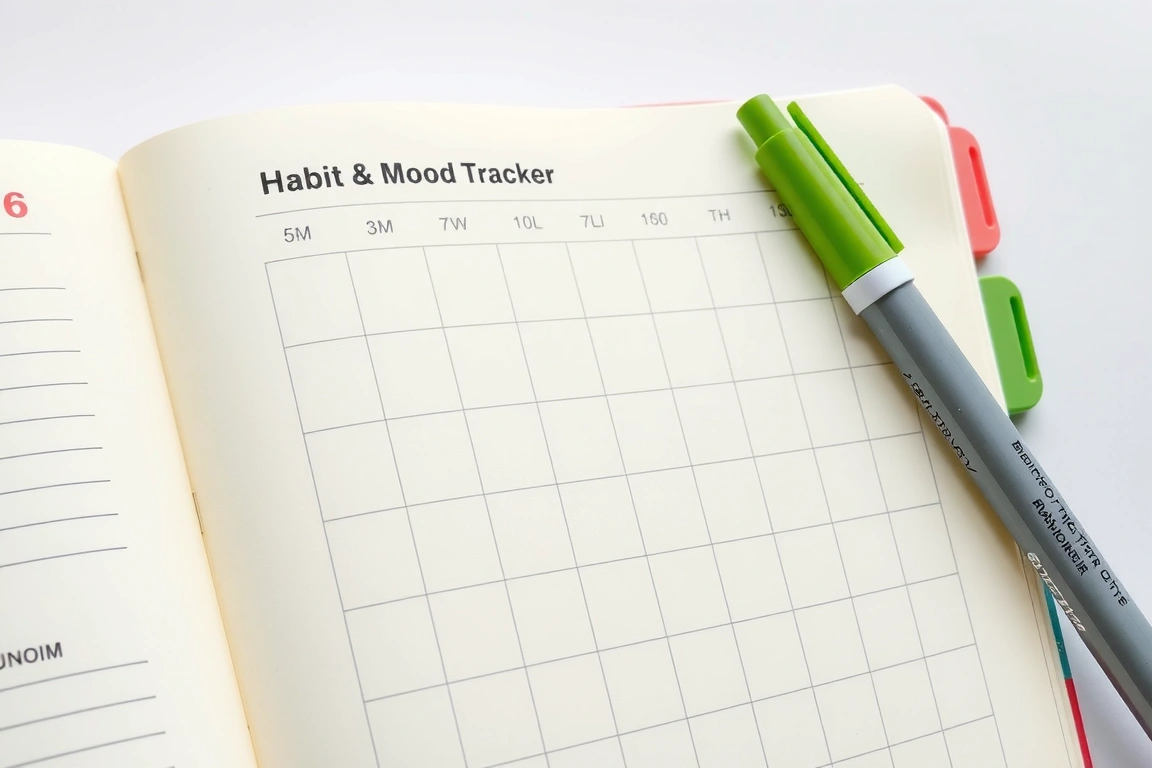
On the right page, I create a line graph for my mood. I draw a vertical axis from 1 (rough day) to 10 (amazing day). Each evening, I place a dot at the intersection of the day and my mood rating. Then I connect the dots. Over the month, I can literally see the line graph dip on days I skipped the gym or didn't drink enough water. This visual connection between action and feeling is more motivating than any generic productivity tip. This entire tracker takes me about 25 minutes to draw at the start of the month and less than 60 seconds to update each night.
The Collections System for Deep Focus
Your bullet journal shouldn't just manage your time; it should manage your mind. That’s where Collections come in. These are dedicated pages for single topics—a book wish list, home project ideas, gift planning, or a workout log. They prevent those thoughts from clogging up your daily logs.
I create a dedicated page in the index for my collections so I can find them easily. For a “Books to Read” collection, I might use a fun header with a Tombow Dual Brush and then list titles with my Micron 05. I leave a small box next to each to check off when I’ve read it. The time investment varies, but most collections take under 10 minutes to set up and become a priceless resource. I tried keeping digital lists for this, but I never looked at them. The physical journal is where these ideas truly live and breathe.
Your First Week Action Plan
Feeling inspired but overwhelmed? Don't try to implement everything at once. Here is your realistic, no-stress plan for week one:
- Day 1: Perform a 10-minute brain dump. Don't edit, just write.
- Day 2: Set up your Future Log. This is your 20-minute project.
- Day 3-7: Practice rapid logging in your daily log. Just use •, X, >, ○, and –.
That’s it. You don't need trackers or collections yet. Master the basics of capturing and migrating tasks. By the end of the week, you'll already feel more in control. The chaos will start to have edges you can manage.
Transforming chaos into clarity isn't about a total overhaul; it's about building a flexible, forgiving system that works with your brain, not against it. Your bullet journal is the tool. These hacks are the method. Start with the brain dump. Play with rapid logging. Most importantly, make it yours. What works for me might need a slight tweak for you, and that’s the whole point. Grab your favorite pen and a notebook—your clearer, calmer tomorrow is waiting to be designed.
FAQ
I'm not artistic. Can I still make this work?
Absolutely. My first bullet journal was nothing but black pen and straight lines. The system is built on function first. The rapid logging symbols, future log, and collections require zero artistic skill. The beauty of bullet journaling is that the “art” is optional. Focus on the structure and clarity it provides. The pretty stuff can come later, if you want it to.
How do I avoid wasting time making it pretty?
Set a time limit for your setup. Give yourself 15 minutes to set up your weekly spread and not a second more. Use tools that are fast—fineliners instead of brush pens, a ruler for straight lines, and simple checkboxes. Remember, this is a working document, not a gallery piece. If a layout takes more than 20 minutes to draw, it's probably too complicated to be sustainable.
What if I miss a day or forget to migrate tasks?
Welcome to the club! This happens to everyone. The system is designed for this. If you miss a day, just start a new entry for the current day. If you have old tasks that still need doing, migrate them forward. There's no guilt or failure in bullet journaling, only information. A missed day just tells you that your system might need to be simpler or that you need to place your journal somewhere more visible.
Small changes, real momentum
Get practical guides and templates you'll actually use — a few thoughtful emails a month.
Related Posts

15 Easy Daily Bullet Journal Layouts: Minimalist to Maximalist
Daily Log Variations: Why Your Current Format Might Not Match Your Lifestyle
Design Powerful Bullet Journal Spreads for Daily Success
Common Bullet Journal Mistakes Beginners Make: How to Fix Them Fast

Join Our Community
Services
Small Home, Big Organization: Multi-Room Storage for Families
Understanding the Psychology Behind Bullet Journal Habit Formation: 7 Key Insights
Related: Bullet Journal: Best Pens for Bullet Journaling in 2026 – Smooth & Reliable
Related Posts
15 Easy Daily Bullet Journal Layouts: Minimalist to Maximalist
Daily Log Variations: Why Your Current Format Might Not Match Your Lifestyle
Design Powerful Bullet Journal Spreads for Daily Success
Common Bullet Journal Mistakes Beginners Make: How to Fix Them Fast
Join Our Community
Services
Small Home, Big Organization: Multi-Room Storage for Families
Understanding the Psychology Behind Bullet Journal Habit Formation: 7 Key Insights
Related Posts
15 Easy Daily Bullet Journal Layouts: Minimalist to Maximalist
Daily Log Variations: Why Your Current Format Might Not Match Your Lifestyle
Design Powerful Bullet Journal Spreads for Daily Success
Common Bullet Journal Mistakes Beginners Make: How to Fix Them Fast
Join Our Community
Services
Small Home, Big Organization: Multi-Room Storage for Families
Understanding the Psychology Behind Bullet Journal Habit Formation: 7 Key Insights
Related Posts
15 Easy Daily Bullet Journal Layouts: Minimalist to Maximalist
Daily Log Variations: Why Your Current Format Might Not Match Your Lifestyle
Design Powerful Bullet Journal Spreads for Daily Success
Common Bullet Journal Mistakes Beginners Make: How to Fix Them Fast
Join Our Community
Services
Small Home, Big Organization: Multi-Room Storage for Families
Understanding the Psychology Behind Bullet Journal Habit Formation: 7 Key Insights
Related Posts
15 Easy Daily Bullet Journal Layouts: Minimalist to Maximalist
Daily Log Variations: Why Your Current Format Might Not Match Your Lifestyle
Design Powerful Bullet Journal Spreads for Daily Success
Common Bullet Journal Mistakes Beginners Make: How to Fix Them Fast
Join Our Community
Services
Small Home, Big Organization: Multi-Room Storage for Families
Understanding the Psychology Behind Bullet Journal Habit Formation: 7 Key Insights
Related Posts
15 Easy Daily Bullet Journal Layouts: Minimalist to Maximalist
Daily Log Variations: Why Your Current Format Might Not Match Your Lifestyle
Design Powerful Bullet Journal Spreads for Daily Success
Common Bullet Journal Mistakes Beginners Make: How to Fix Them Fast
Join Our Community
Services
Small Home, Big Organization: Multi-Room Storage for Families
Understanding the Psychology Behind Bullet Journal Habit Formation: 7 Key Insights
Related Posts
15 Easy Daily Bullet Journal Layouts: Minimalist to Maximalist
Daily Log Variations: Why Your Current Format Might Not Match Your Lifestyle
Design Powerful Bullet Journal Spreads for Daily Success
Common Bullet Journal Mistakes Beginners Make: How to Fix Them Fast
Join Our Community
Services
Small Home, Big Organization: Multi-Room Storage for Families
Understanding the Psychology Behind Bullet Journal Habit Formation: 7 Key Insights
Related Posts
15 Easy Daily Bullet Journal Layouts: Minimalist to Maximalist
Daily Log Variations: Why Your Current Format Might Not Match Your Lifestyle
Design Powerful Bullet Journal Spreads for Daily Success
Common Bullet Journal Mistakes Beginners Make: How to Fix Them Fast
Join Our Community
Services
Small Home, Big Organization: Multi-Room Storage for Families
Understanding the Psychology Behind Bullet Journal Habit Formation: 7 Key Insights
Related Posts
15 Easy Daily Bullet Journal Layouts: Minimalist to Maximalist
Daily Log Variations: Why Your Current Format Might Not Match Your Lifestyle
Design Powerful Bullet Journal Spreads for Daily Success
Common Bullet Journal Mistakes Beginners Make: How to Fix Them Fast
Join Our Community
Services
Small Home, Big Organization: Multi-Room Storage for Families
Understanding the Psychology Behind Bullet Journal Habit Formation: 7 Key Insights
Related Posts
15 Easy Daily Bullet Journal Layouts: Minimalist to Maximalist
Daily Log Variations: Why Your Current Format Might Not Match Your Lifestyle
Design Powerful Bullet Journal Spreads for Daily Success
Common Bullet Journal Mistakes Beginners Make: How to Fix Them Fast
Join Our Community
Services
Small Home, Big Organization: Multi-Room Storage for Families
Understanding the Psychology Behind Bullet Journal Habit Formation: 7 Key Insights
Related Posts
15 Easy Daily Bullet Journal Layouts: Minimalist to Maximalist
Daily Log Variations: Why Your Current Format Might Not Match Your Lifestyle
Design Powerful Bullet Journal Spreads for Daily Success
Common Bullet Journal Mistakes Beginners Make: How to Fix Them Fast
Join Our Community
Services
Small Home, Big Organization: Multi-Room Storage for Families
Understanding the Psychology Behind Bullet Journal Habit Formation: 7 Key Insights
Related Posts
15 Easy Daily Bullet Journal Layouts: Minimalist to Maximalist
Daily Log Variations: Why Your Current Format Might Not Match Your Lifestyle
Design Powerful Bullet Journal Spreads for Daily Success
Common Bullet Journal Mistakes Beginners Make: How to Fix Them Fast
Join Our Community
Services
Small Home, Big Organization: Multi-Room Storage for Families
Understanding the Psychology Behind Bullet Journal Habit Formation: 7 Key Insights
Related Posts
15 Easy Daily Bullet Journal Layouts: Minimalist to Maximalist
Daily Log Variations: Why Your Current Format Might Not Match Your Lifestyle
Design Powerful Bullet Journal Spreads for Daily Success
Common Bullet Journal Mistakes Beginners Make: How to Fix Them Fast
Join Our Community
Services
Small Home, Big Organization: Multi-Room Storage for Families
Understanding the Psychology Behind Bullet Journal Habit Formation: 7 Key Insights
Related Posts
15 Easy Daily Bullet Journal Layouts: Minimalist to Maximalist
Daily Log Variations: Why Your Current Format Might Not Match Your Lifestyle
Design Powerful Bullet Journal Spreads for Daily Success
Common Bullet Journal Mistakes Beginners Make: How to Fix Them Fast
Join Our Community
Services
Small Home, Big Organization: Multi-Room Storage for Families
Understanding the Psychology Behind Bullet Journal Habit Formation: 7 Key Insights
Related Posts
15 Easy Daily Bullet Journal Layouts: Minimalist to Maximalist
Daily Log Variations: Why Your Current Format Might Not Match Your Lifestyle
Design Powerful Bullet Journal Spreads for Daily Success
Common Bullet Journal Mistakes Beginners Make: How to Fix Them Fast
Join Our Community
Services
Small Home, Big Organization: Multi-Room Storage for Families
Understanding the Psychology Behind Bullet Journal Habit Formation: 7 Key Insights
Related Posts
15 Easy Daily Bullet Journal Layouts: Minimalist to Maximalist
Daily Log Variations: Why Your Current Format Might Not Match Your Lifestyle
Design Powerful Bullet Journal Spreads for Daily Success
Common Bullet Journal Mistakes Beginners Make: How to Fix Them Fast
Join Our Community
Services
Small Home, Big Organization: Multi-Room Storage for Families
Understanding the Psychology Behind Bullet Journal Habit Formation: 7 Key Insights
Related Posts
15 Easy Daily Bullet Journal Layouts: Minimalist to Maximalist
Daily Log Variations: Why Your Current Format Might Not Match Your Lifestyle
Design Powerful Bullet Journal Spreads for Daily Success
Common Bullet Journal Mistakes Beginners Make: How to Fix Them Fast
Join Our Community
Services
Small Home, Big Organization: Multi-Room Storage for Families
Understanding the Psychology Behind Bullet Journal Habit Formation: 7 Key Insights
Related Posts
15 Easy Daily Bullet Journal Layouts: Minimalist to Maximalist
Daily Log Variations: Why Your Current Format Might Not Match Your Lifestyle
Design Powerful Bullet Journal Spreads for Daily Success
Common Bullet Journal Mistakes Beginners Make: How to Fix Them Fast
Join Our Community
Services
Small Home, Big Organization: Multi-Room Storage for Families
Understanding the Psychology Behind Bullet Journal Habit Formation: 7 Key Insights
Related Posts
15 Easy Daily Bullet Journal Layouts: Minimalist to Maximalist
Daily Log Variations: Why Your Current Format Might Not Match Your Lifestyle
Design Powerful Bullet Journal Spreads for Daily Success
Common Bullet Journal Mistakes Beginners Make: How to Fix Them Fast
Join Our Community
Services
Small Home, Big Organization: Multi-Room Storage for Families
Understanding the Psychology Behind Bullet Journal Habit Formation: 7 Key Insights
Your Weekly Dose of Inspiration
Journaling ideas, family tips, and gentle inspiration.
Love this content?
Join the BulletJournals.net community for exclusive tips, guides, and updates.
Subscribe Free